Introduction
The EPOMAKER HE108 is a full-sized Hall Effect keyboard made for both gaming and daily work. It comes with many high-end features like 8K polling, Rapid Trigger, adjustable actuation, and a huge 10000mAh battery. At the same time, it also focuses on comfort with a gasket-mounted design and soft sound dampening layers.
Not long ago, we reviewed the EPOMAKER HE80. That keyboard gave us a good first look at what EPOMAKER can do with Hall Effect technology. The HE108 takes many of the same ideas but pushes them further with a bigger layout, more keys, and longer battery life.
The EPOMAKER HE108 keyboard is clearly made for users who want one keyboard for everything. It is built for fast gaming, but it also feels ready for office work, typing, editing, and daily use. After spending some time with the keyboard, it quickly became clear that EPOMAKER is trying to balance speed, comfort, and features in one package.
Unboxing
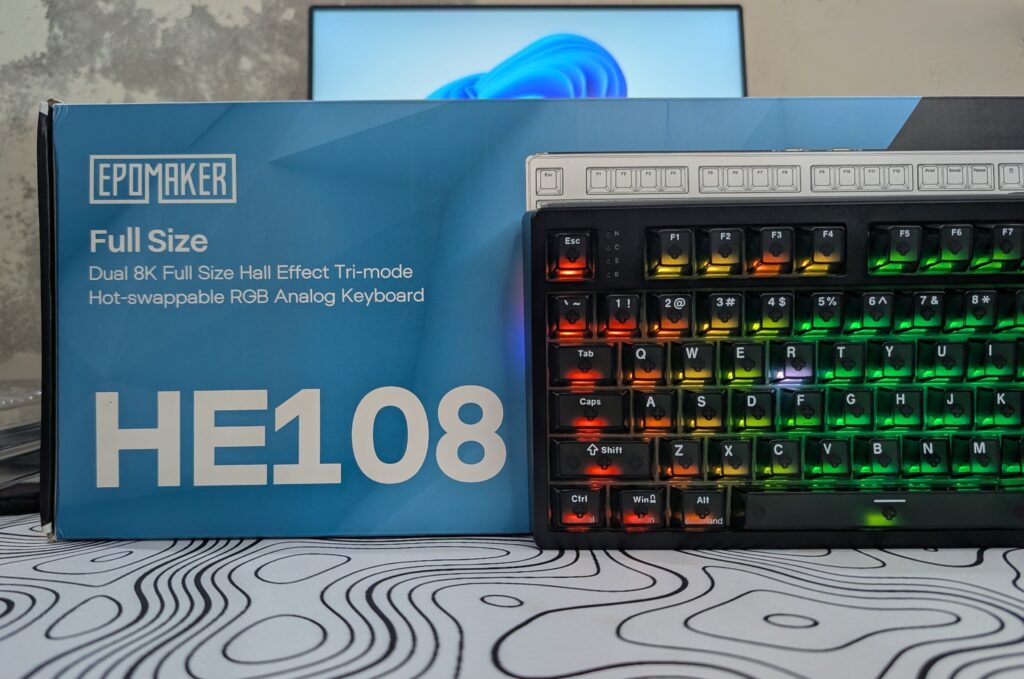
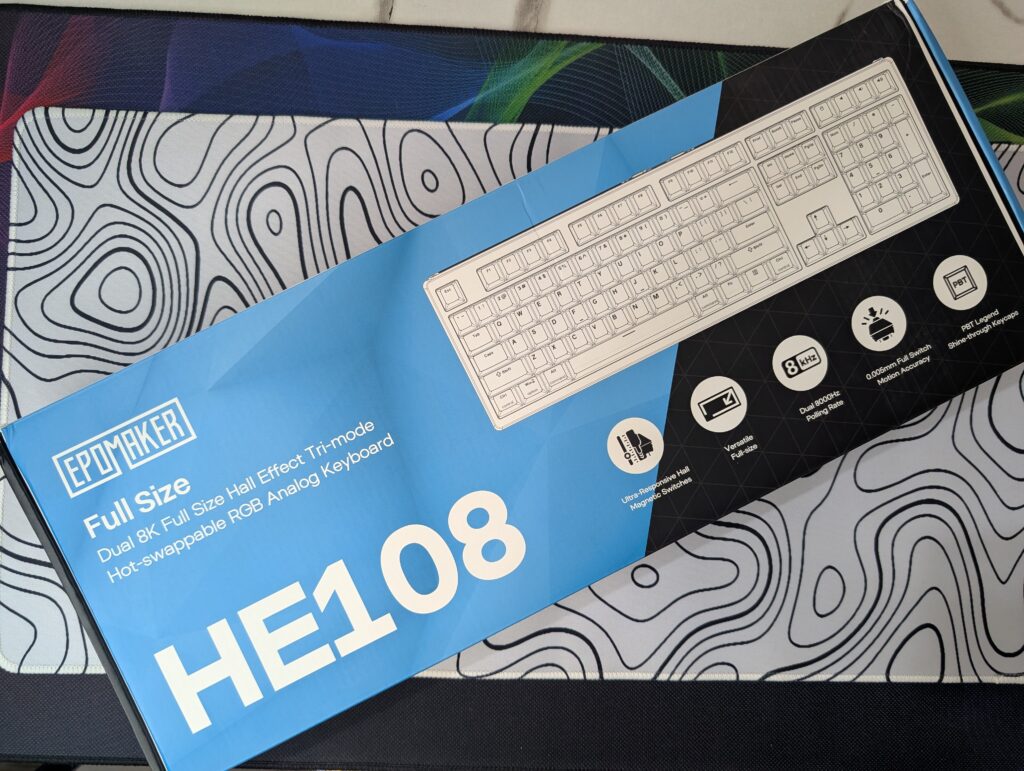
The EPOMAKER HE108 comes in a large blue and black box. The front side looks clean and simple. There is a big image of the keyboard in the middle with the HE108 name printed in large white text. The box also shows some main features like 8K polling, Hall Effect switches, and the dual system support for Windows and Mac. The overall design looks modern without trying too hard.
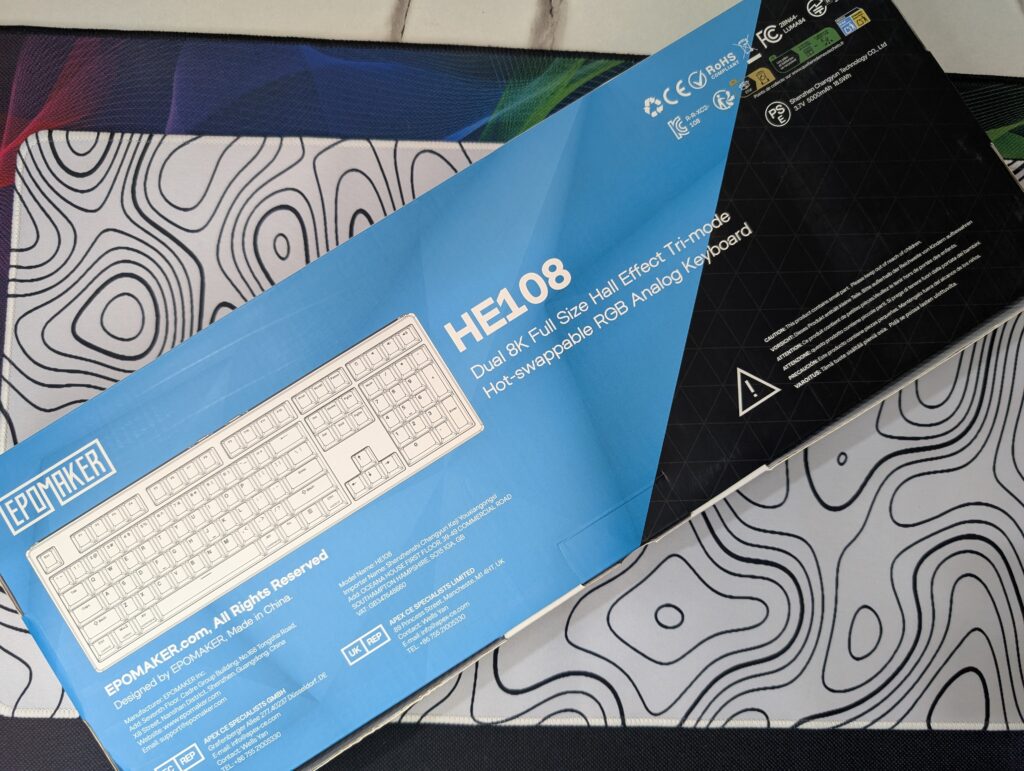
The back side of the box gives more information about the keyboard. Here, EPOMAKER lists the main features and technical details. You can also see small icons showing things like the battery, wireless support, and RGB lighting. The back design still keeps the same blue and black colour theme, so the packaging feels consistent from every side.
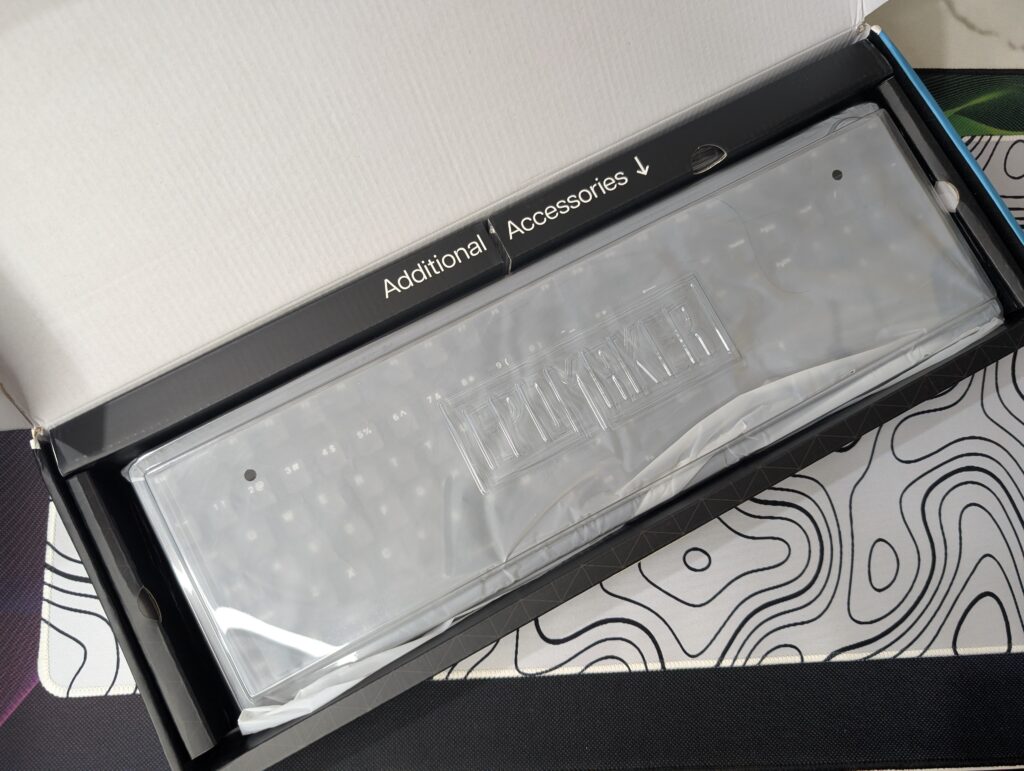
Opening the box gives a nice first impression. The keyboard is packed safely inside a plastic cover, and the inside layout looks neat and organised. EPOMAKER also separates the accessories section properly, so nothing feels thrown inside carelessly.
Inside the box, you get the EPOMAKER HE108 keyboard itself, a detachable USB Type-A to Type-C cable, and the 2.4GHz wireless receiver. The receiver is stored under the left kickstand, which is a smart and simple idea because it helps avoid losing it.
EPOMAKER also includes a 2-in-1 switch and keycap puller, which is useful if you want to remove keycaps or switches later. Along with that, there is a quick multilingual manual, two extra Hall Effect switches, and a product card.
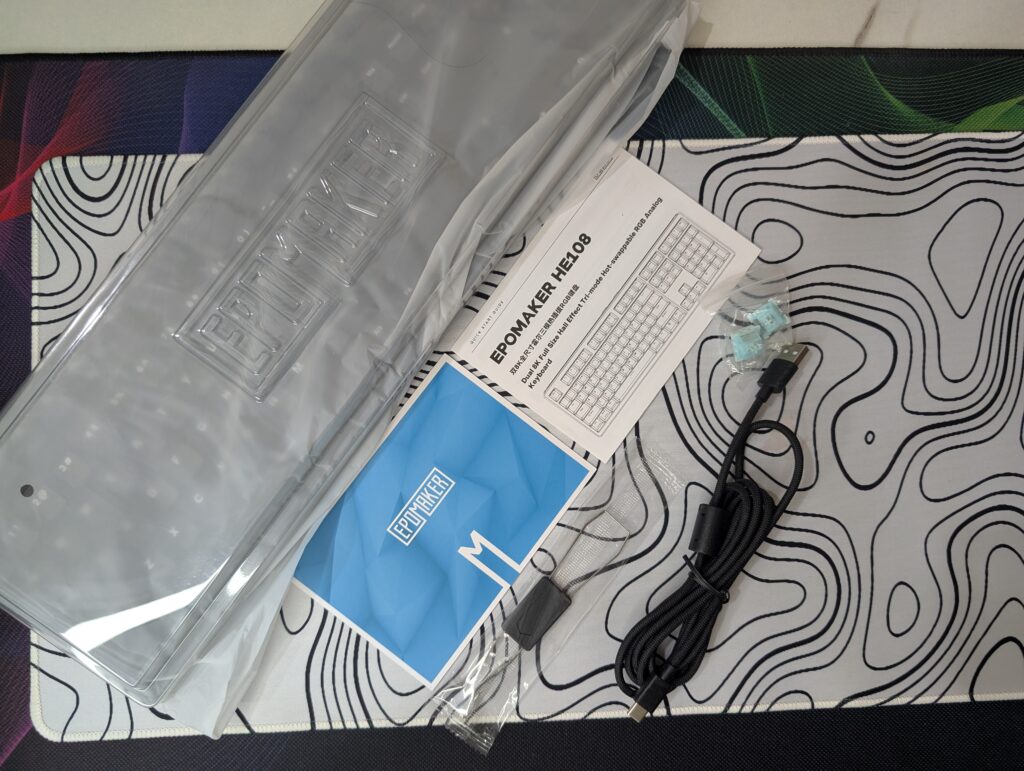
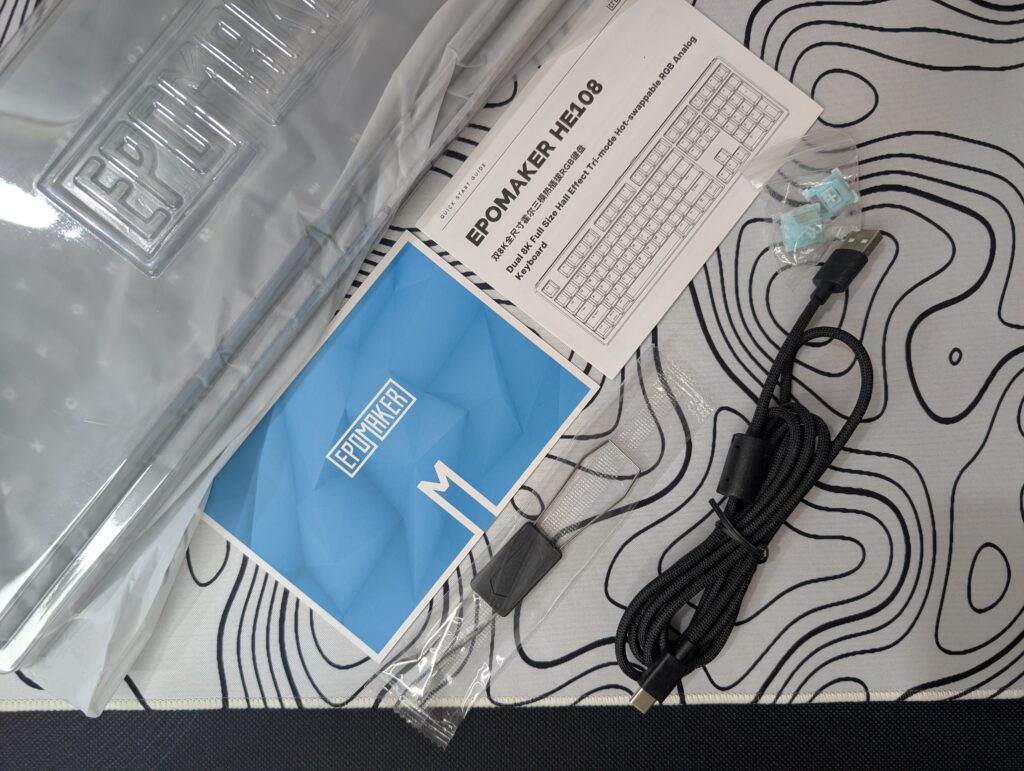
The unboxing experience feels clean and premium overall. EPOMAKER did not add unnecessary extras just for marketing. Instead, everything inside the box feels useful and well packed.
EPOMAKER HE108 keyboard specifications
| Specification | Details |
|---|---|
| Brand | EPOMAKER |
| Model | HE108 |
| Layout | Full Sized Gaming Keyboard, 100% Layout, US QWERTY ANSI |
| Number of Keys | 108 Keys |
| Battery | 10000mAh Rechargeable Battery |
| Battery Life | 32 Hours (RGB On), 500 Hours (RGB Off), 1000 Hours Standby |
| Connectivity | Tri-Mode 2.4GHz / Bluetooth / Wired |
| Compatibility | Mac / Windows / Android |
| Mac Modifier Print | Yes |
| Front Height | 1.8cm |
| Back Height | 3.2cm |
| Typing Angles | 6°, 8°, and 10.5° |
| Case Material | Thick ABS Plastic |
| Plate Material | PC Plastic |
| Flex-Cut Design | Yes, Flex-Cut Plate and FR4 PCB |
| Stabilizers | Plate-Mounted Stabilizers |
| Mounting Structure | Gasket-Mounted |
| Sound Dampening | 5-Layer Sound Dampening |
| Keycap Profile | Cherry Profile |
| Keycap Material | Double-Shot PBT |
| Switch Type | Factory Lubed Magnetic Linear Switch |
| Hall Effect Accuracy | 0.005mm |
| Rapid Trigger | Yes |
| Snap Key (SOCD) | Yes |
| DKS Support | Yes |
| Deadzone Adjustment | 0–0.3mm |
| Hot-Swappable | Yes |
| RGB Lighting | South-Facing Per-Key RGB |
| Polling Rate | 8000Hz (USB & 2.4GHz), 125Hz (Bluetooth) |
| Scan Rate | 16,000Hz Full Board, 128,000Hz Per Key |
| Latency | 0.2ms USB, 0.4ms Wireless, 8ms Bluetooth |
| Anti-Ghosting | Yes, N-Key Rollover |
| Software | EPOMAKER Driver 3.0 / Driver V4 |
| Package Dimensions | 44.5 × 14.1 × 4.8cm |
| Package Weight | 1.67kg |
| Keyboard Weight | Around 1.2kg |
EPOMAKER HE108 Price
| EPOMAKER Official Store | $95.99 |
A closer look
The EPOMAKER HE108 comes with a very clean and simple design. The keyboard is available in both black and white colour options. Our review unit is the black version, and it looks sleek and minimal on the desk. It does not try too hard to look flashy or overly “gaming” focused.
The keyboard uses a full-sized 108-key layout, so you get the full function row, arrow keys, navigation keys, and a numpad. This makes it useful not only for gaming but also for office work, editing, and daily typing.
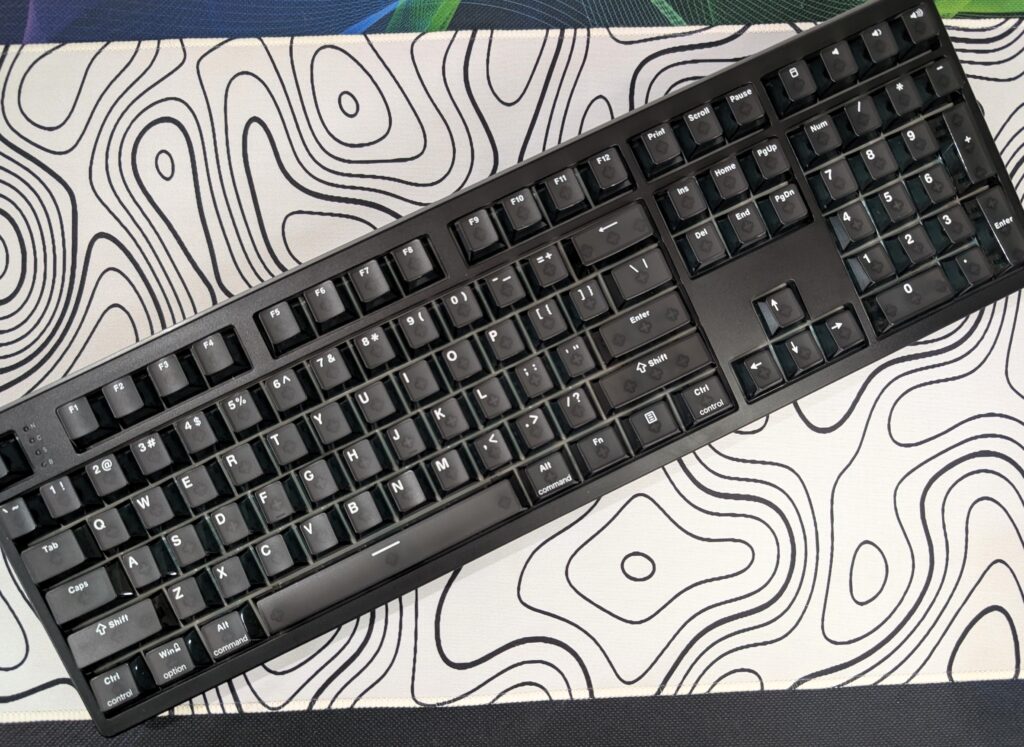
At first touch, the keyboard feels solid and heavy. The EPOMAKER HE108 weighs around 1.2kg, and that extra weight helps keep it stable during typing and gaming. Even during fast gameplay, the keyboard stays in place on the desk. The body is made from thick ABS plastic, but it does not feel cheap or hollow. EPOMAKER has done a good job with the overall build quality.
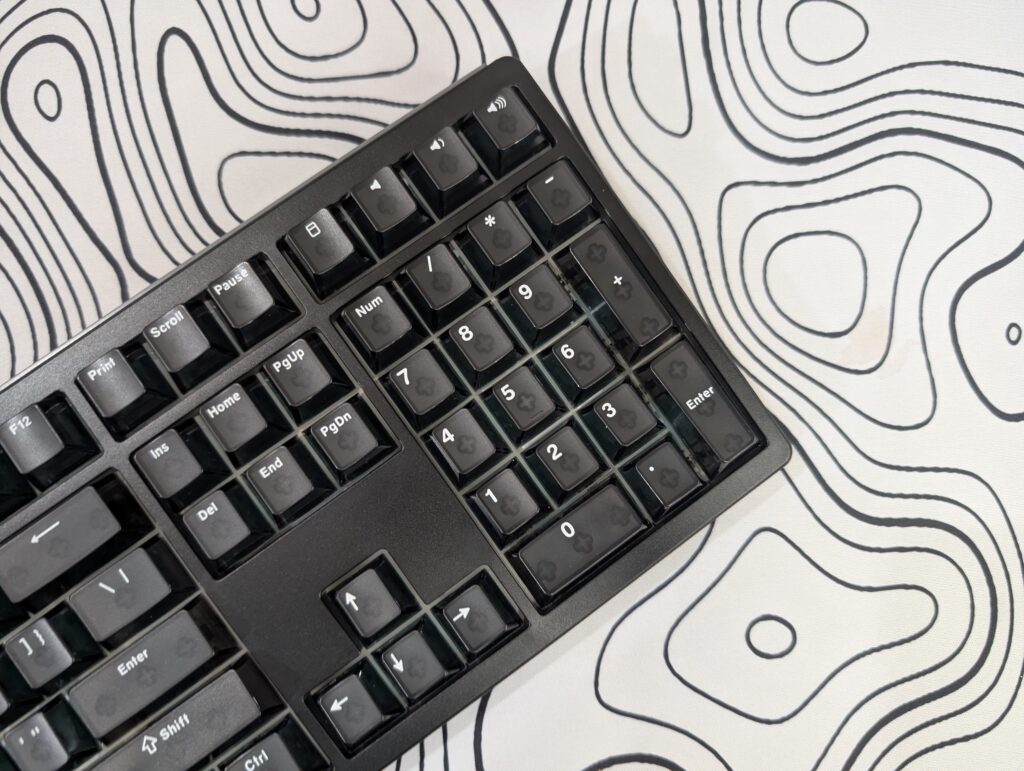
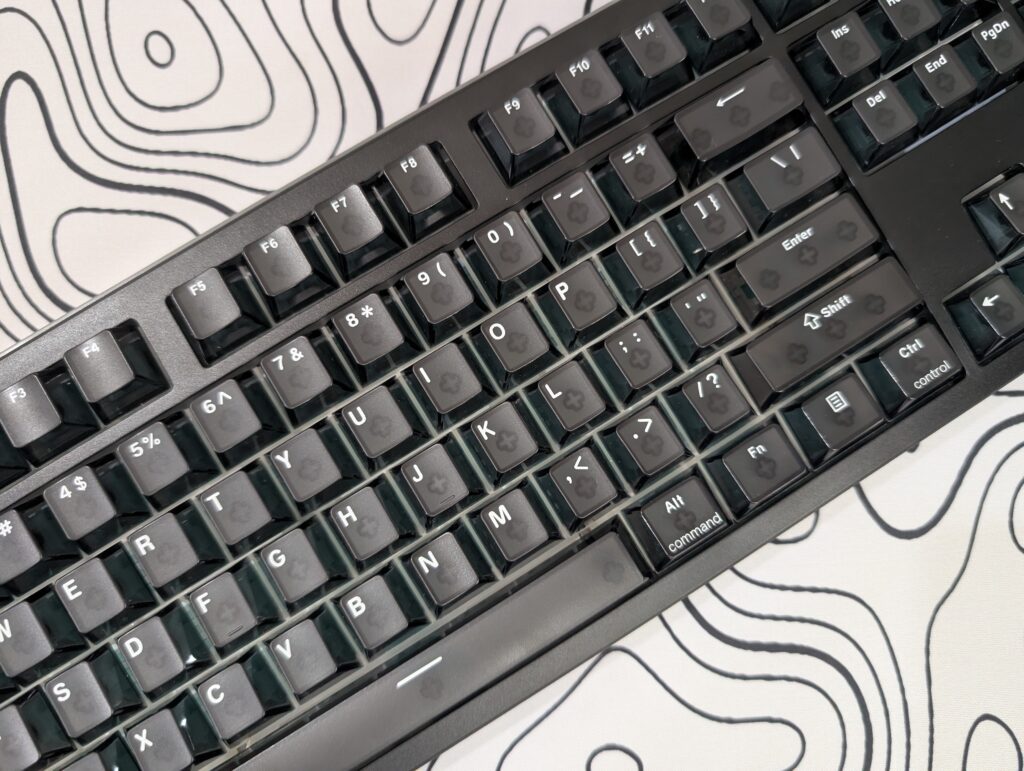
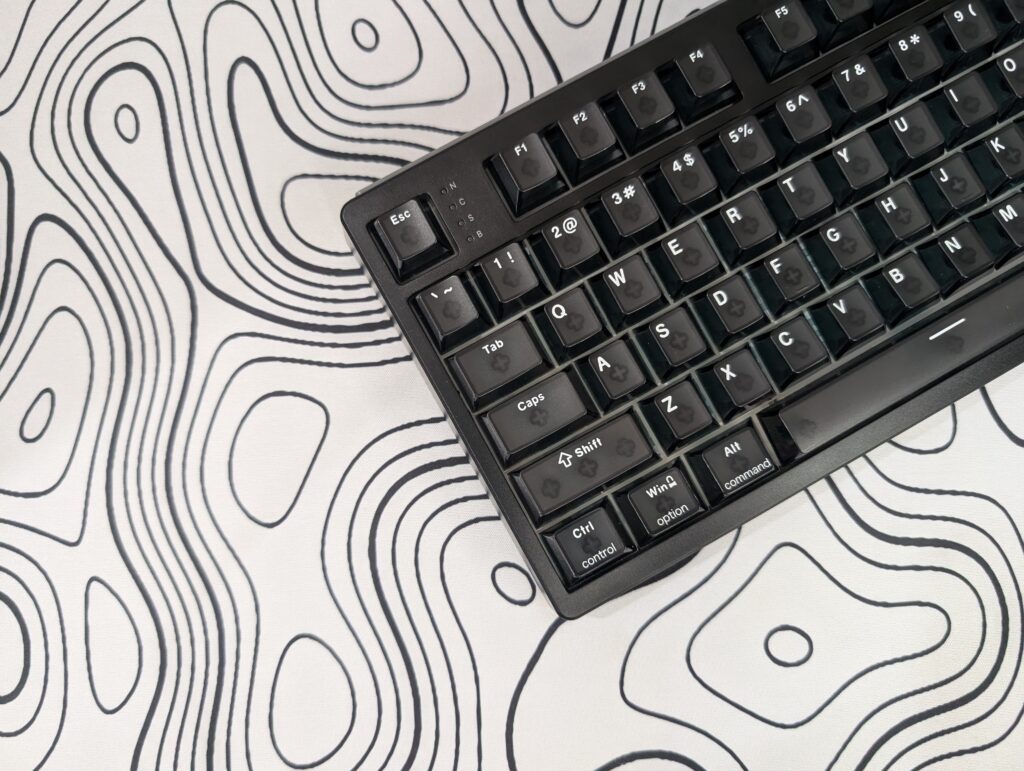
The top side of the keyboard looks clean and modern. There are no loud gamer-style lines or shiny plastic parts everywhere. The floating key design also helps show more of the RGB lighting under the keycaps. Around the edges, the keyboard has a smooth finish with slightly rounded corners, giving it a softer and cleaner look.
The keycaps use a Cherry profile and are made from double-shot PBT plastic. They feel smooth but still have enough texture for grip. The legends are clear and easy to read. Since these are shine-through keycaps, the RGB lighting passes through nicely in dark rooms.
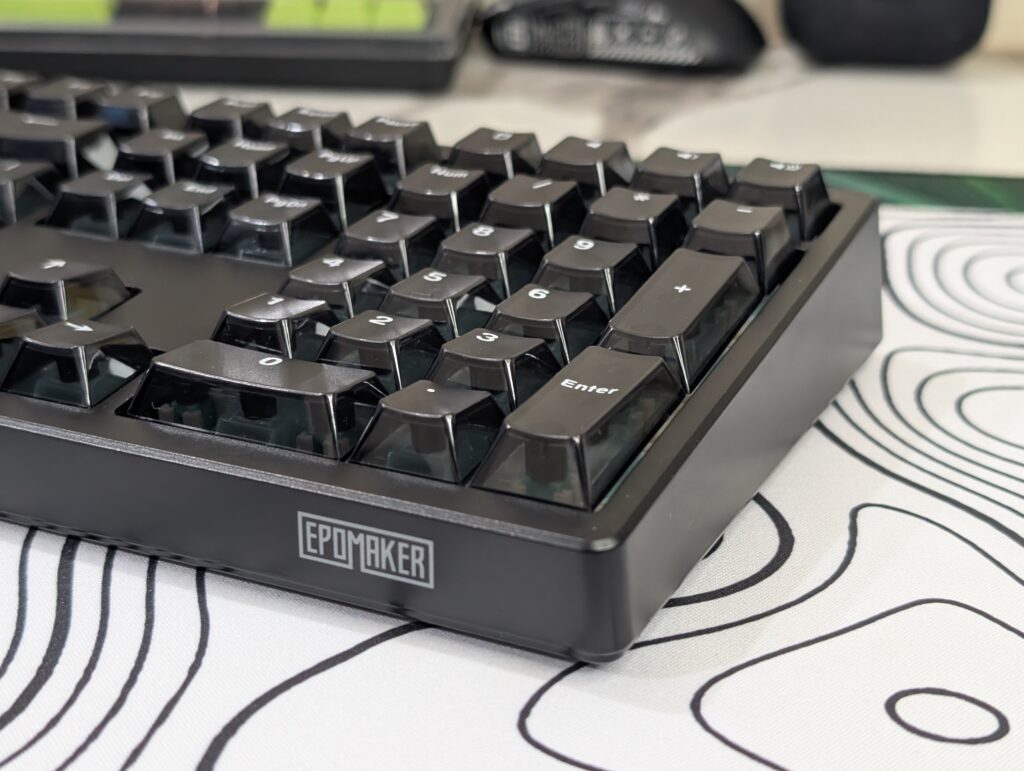
The keyboard uses south-facing RGB lighting, which also helps avoid interference with Cherry profile keycaps. The RGB effects look smooth without being too aggressive. Even with the lighting turned off, the keyboard still looks stylish because of its simple black colour design.
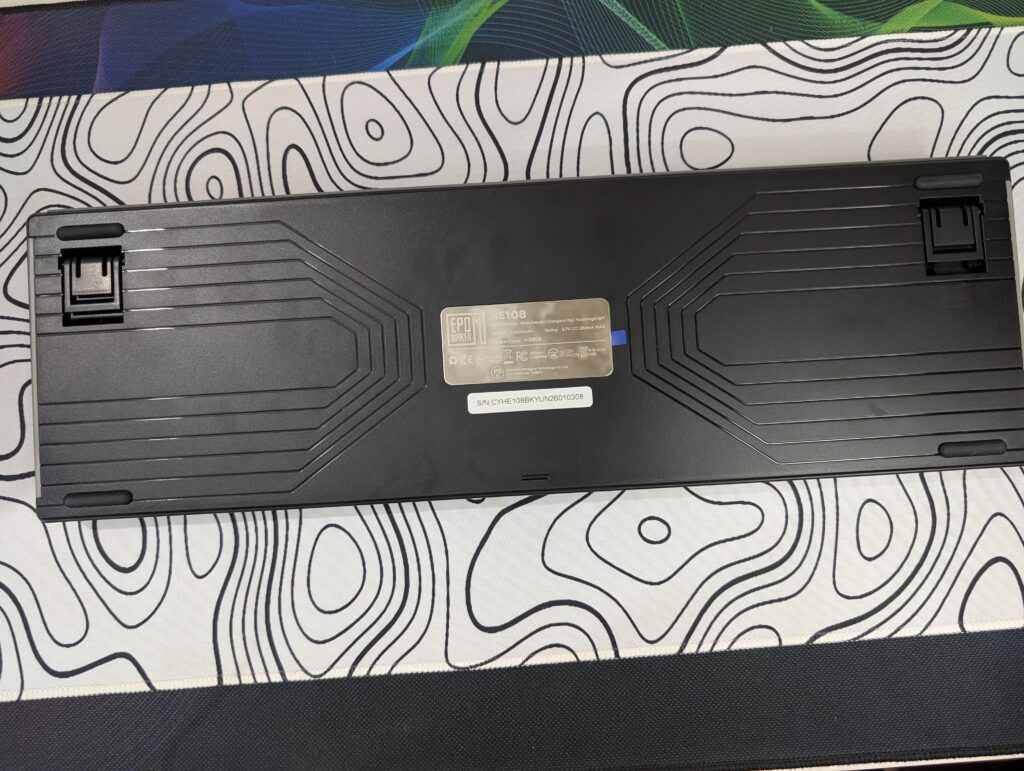
Looking at the bottom side, EPOMAKER added a patterned design that makes the keyboard look less plain. The rubber feet help keep the keyboard stable, while the dual-stage kickstands allow different typing angles. Users can choose between 6°, 8°, and 10.5° depending on comfort.
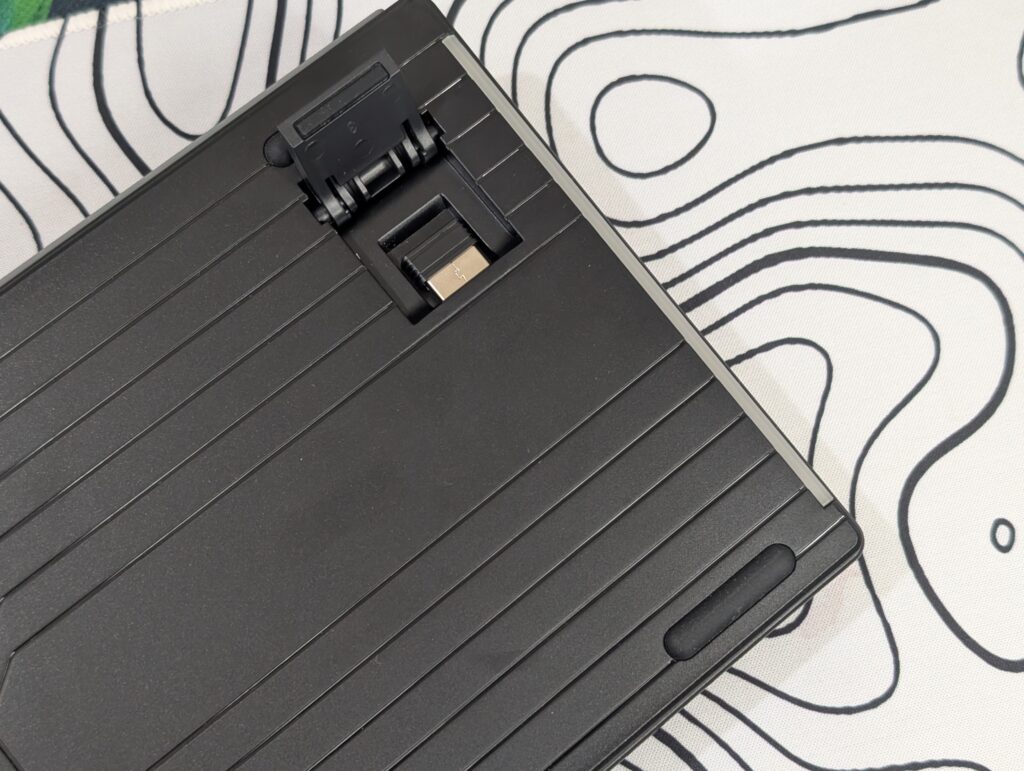
One smart design choice is the wireless receiver storage. The small 2.4GHz dongle is hidden under the left kickstand. It is a small detail, but it helps avoid losing the receiver while carrying the keyboard.
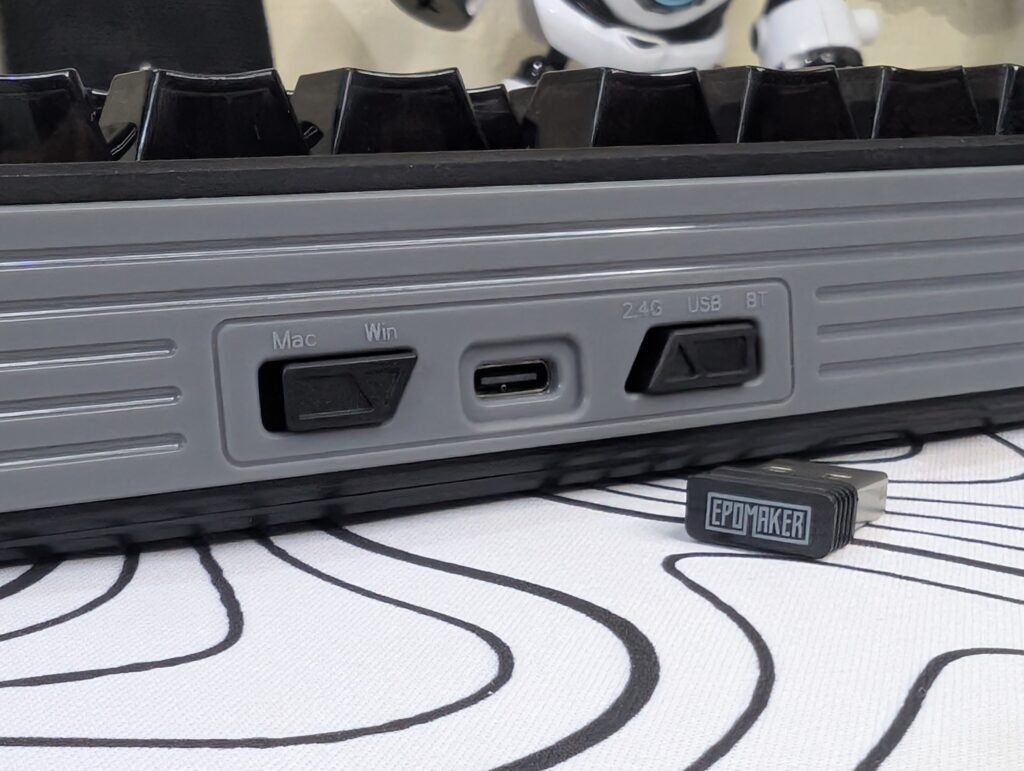
The back side includes the USB Type-C port along with switches for Mac/Windows mode and connectivity mode selection. Everything is easy to reach and clearly labelled.
Inside, the keyboard uses a gasket-mounted structure with a flex-cut PC plate and FR4 PCB. EPOMAKER also added five layers of sound dampening materials. While these layers are hidden inside, you can easily notice the difference while typing. The keyboard sounds softer and deeper compared to many normal gaming keyboards.
The EPOMAKER HE108 feels more mature than many gaming keyboards on the market. It focuses more on clean looks, comfort, and solid build quality instead of flashy design tricks.
Keycaps and switches
The EPOMAKER HE108 comes with Cherry profile double-shot PBT keycaps. The keycaps feel solid and smooth while typing. They also have a light texture, which helps keep your fingers comfortable during long use. Since these are PBT keycaps, they should last longer and resist shine better compared to normal ABS keycaps.
The legends are clean and easy to read. EPOMAKER also used shine-through keycaps, so the RGB lighting shows clearly in darker rooms. Combined with the south-facing RGB LEDs, the lighting looks smooth and even across the keyboard.
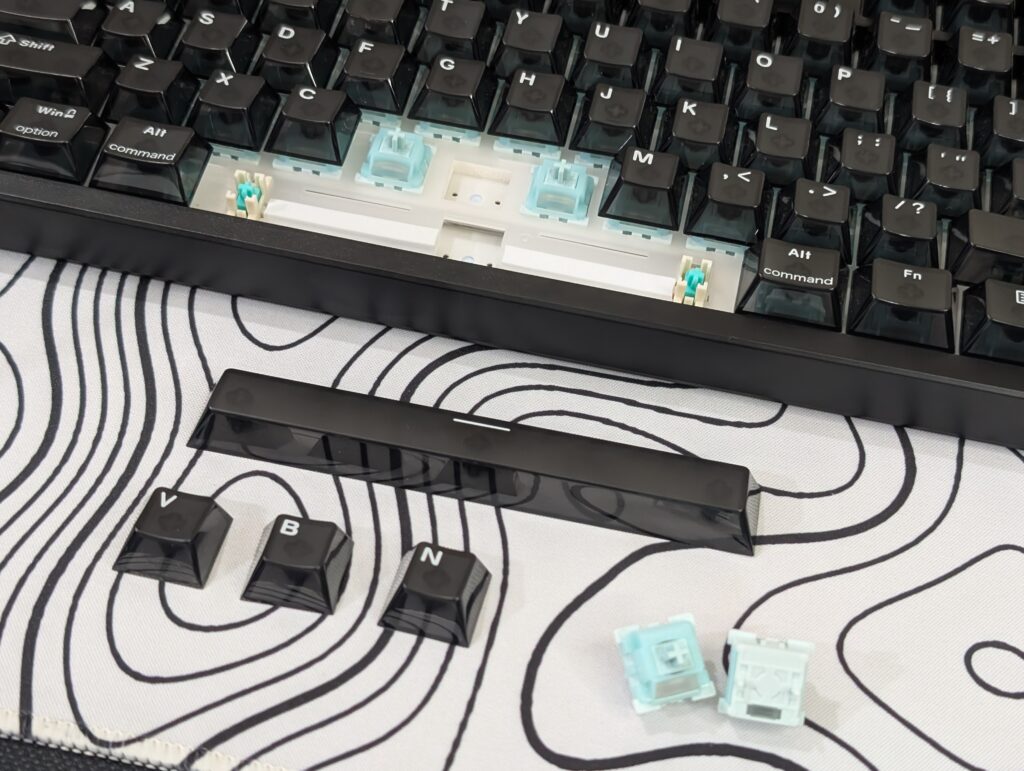
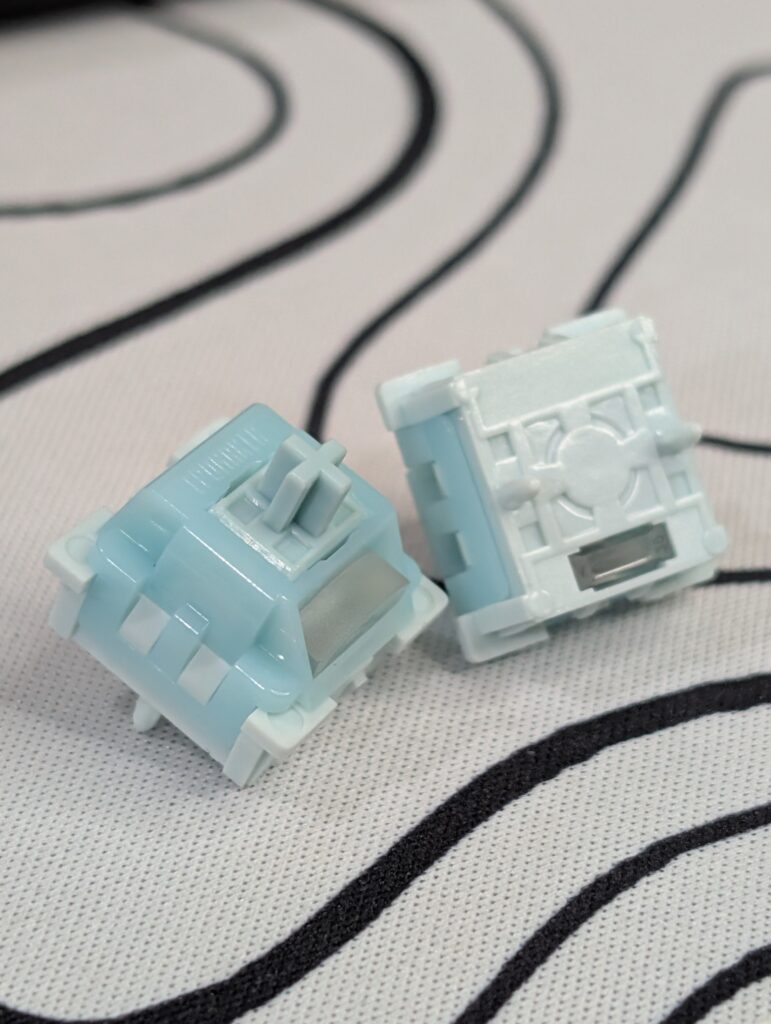
Our review unit comes with the EPOMAKER Creamy Jade HE magnetic linear switches. These are factory lubed Hall Effect switches, and the smoothness is noticeable right away. Key presses feel very clean without scratchy sounds or rough movement.
The switches are designed mainly for speed and fast response. The EPOMAKER HE108 supports adjustable actuation from 0.1mm to 3.3mm with very precise 0.005mm adjustment steps. This allows users to set very shallow key presses for gaming or deeper presses for normal typing.
EPOMAKER also included features like Rapid Trigger, Snap Key (SOCD), DKS, and adjustable deadzone settings. These features are mostly aimed at competitive gamers who want faster movement and quicker reactions during games.
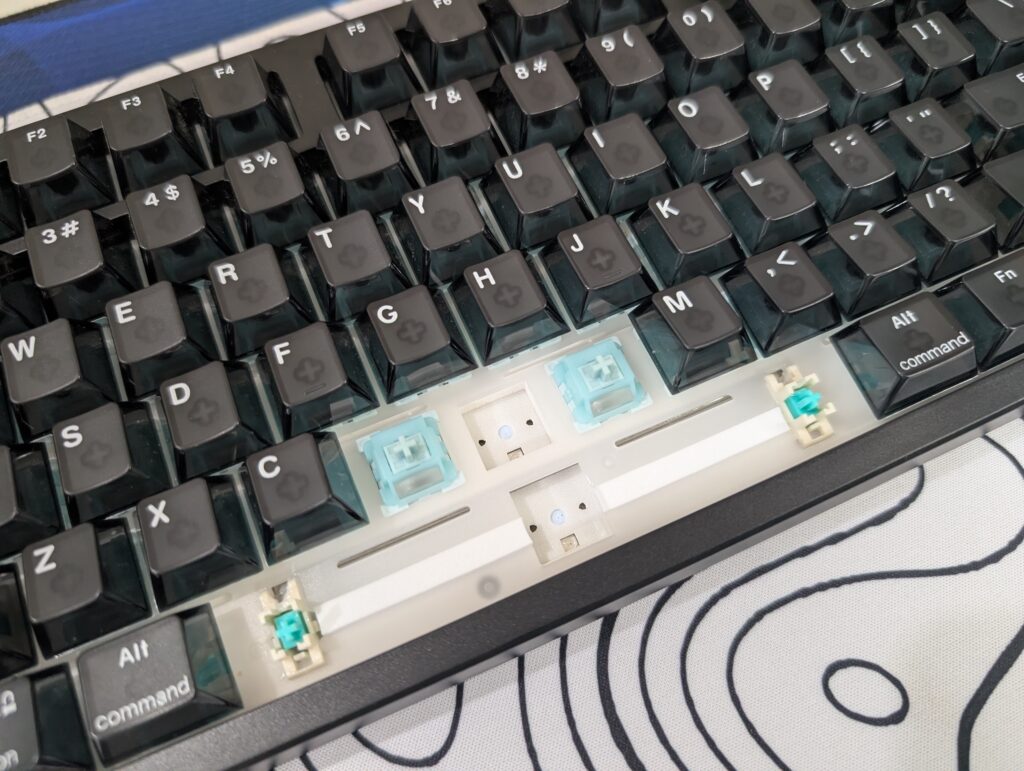
Even though the keyboard focuses heavily on gaming features, it still feels very comfortable for normal typing. The switches have a soft and creamy sound profile instead of loud clacky noise. The gasket-mounted structure and foam layers inside the keyboard also help make the typing sound deeper and cleaner.
Another good thing is that the keyboard is hot-swappable with compatible Hall Effect switches. This gives users the option to change switches later if they want a different typing feel.
The keycaps and switches work very well together on the EPOMAKER HE108. The keyboard feels smooth, fast, and comfortable whether you are gaming or typing for long hours.
RGB lighting
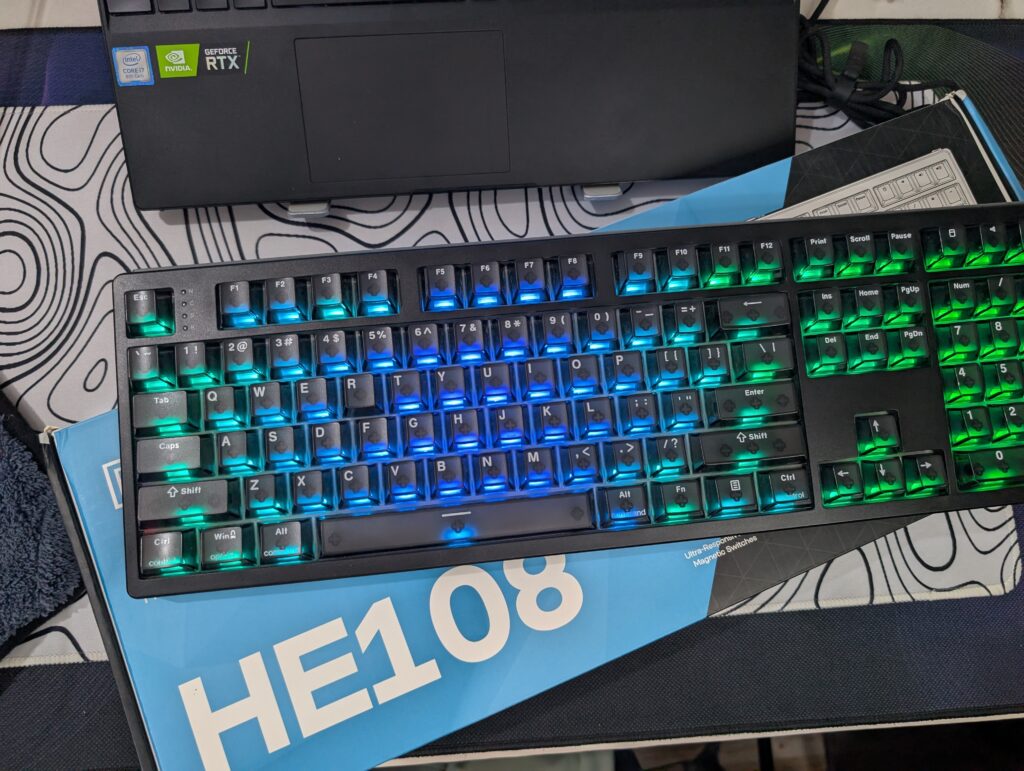
The EPOMAKER HE108 comes with south-facing per-key RGB lighting. The lighting looks bright and colourful, while the shine-through keycaps help the colours show clearly in dark rooms.
The RGB effects look smooth across the keyboard, especially during rainbow and wave animations. The black colour of our review unit also helps the lighting stand out more without looking too flashy.
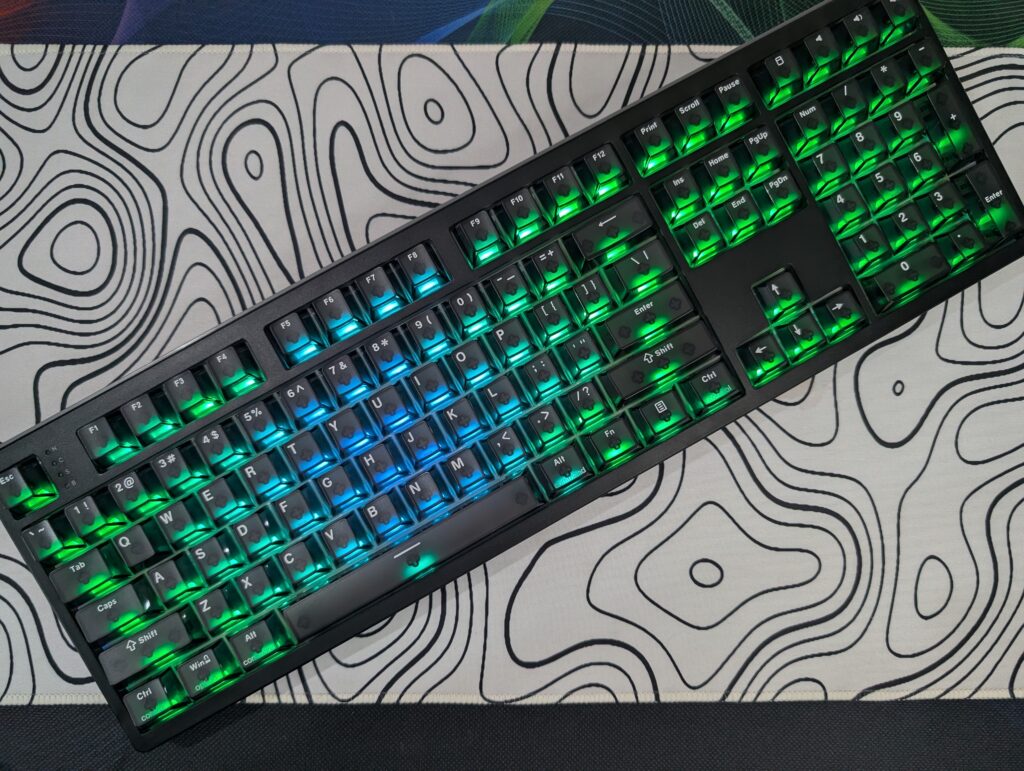
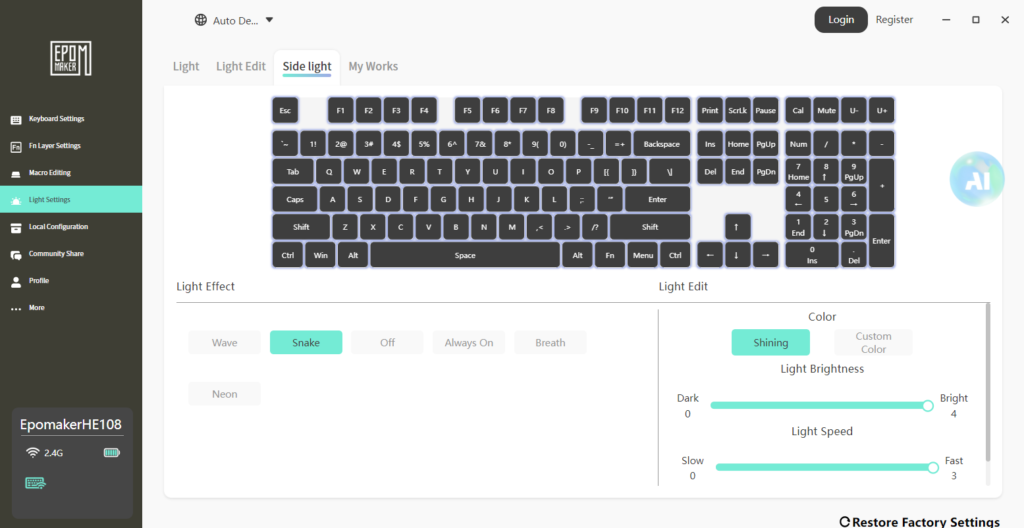
Thanks to the floating key design, more light is visible around the switches, giving the keyboard a clean glow effect. Users can also change lighting modes, colours, brightness, and effects through keyboard shortcuts or the EPOMAKER software.
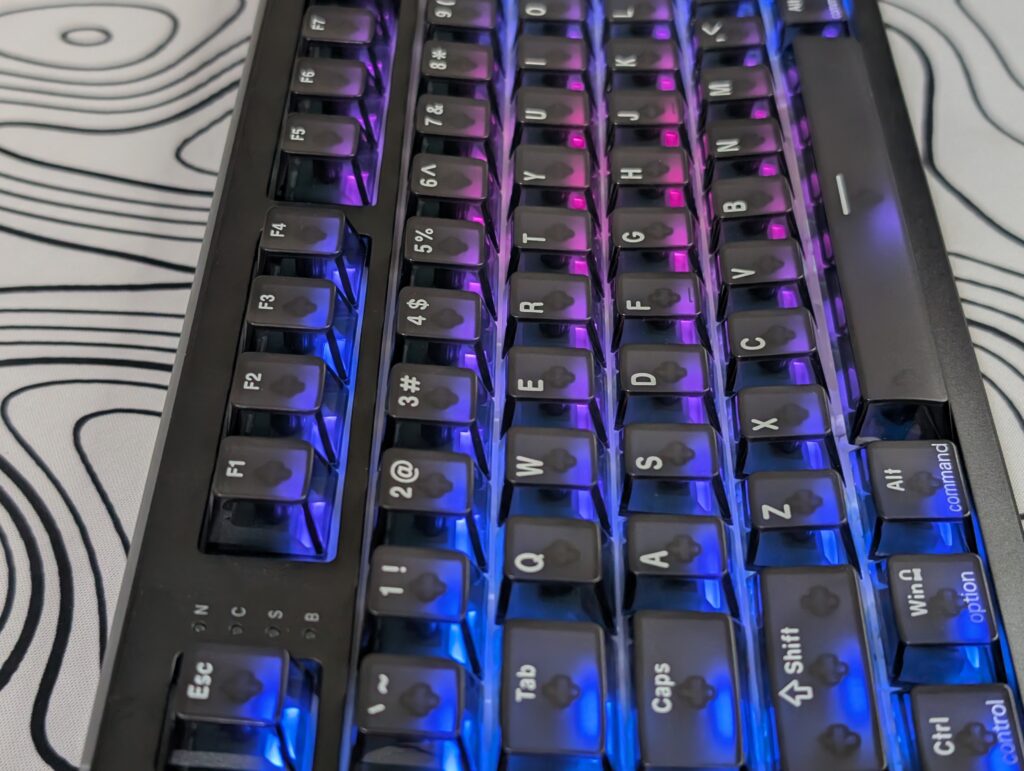
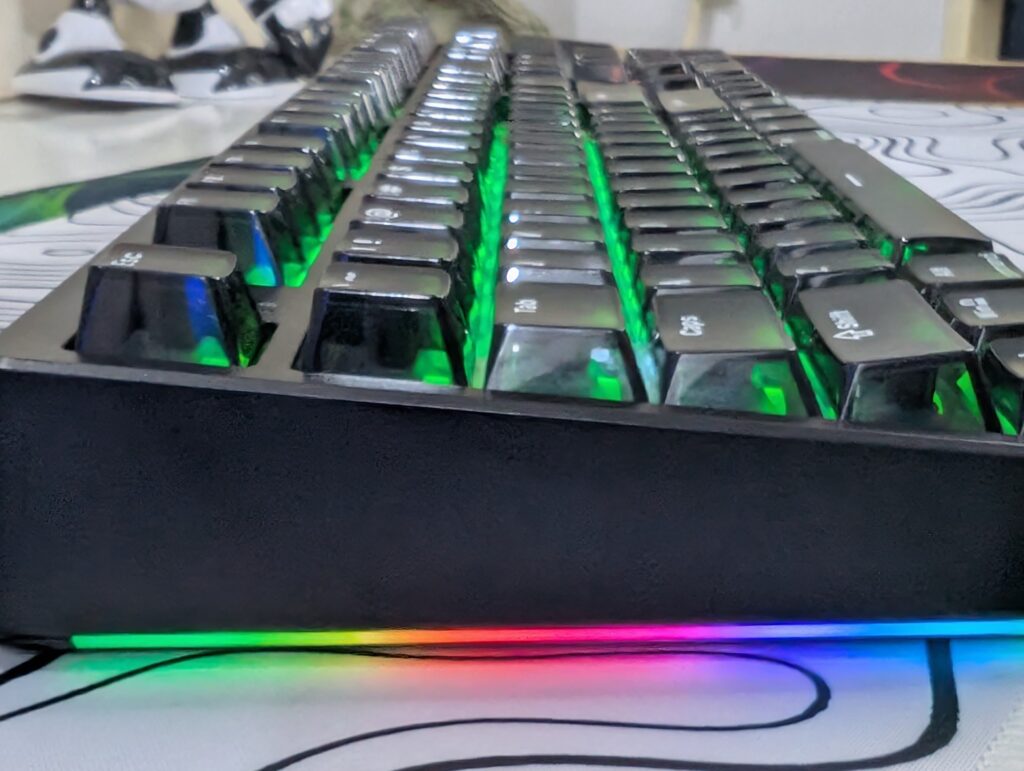
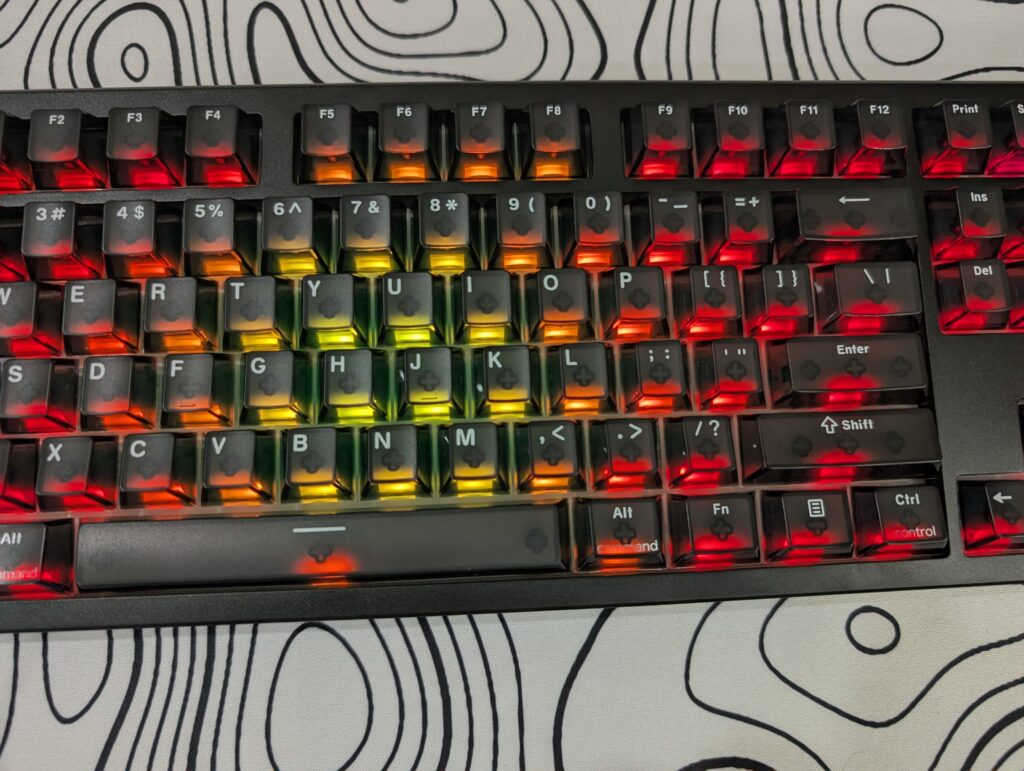
EPOMAKER also included quick lighting controls directly on the keyboard. Users can turn the lights on or off with Fn + Backspace, cycle through effects using Fn + Ins, and change colours with Fn + Del. There are also shortcuts for brightness, speed, and side lighting controls, which makes RGB adjustment fast and easy without opening software.
The RGB lighting looks clean and well balanced. It adds a nice gaming feel to the keyboard without becoming distracting.
Connectivity and battery
The EPOMAKER HE108 supports tri-mode connectivity. Users can connect the keyboard through wired USB, 2.4GHz wireless, or Bluetooth. There are physical switches at the back of the keyboard to quickly change between modes and also switch between Mac and Windows layouts.
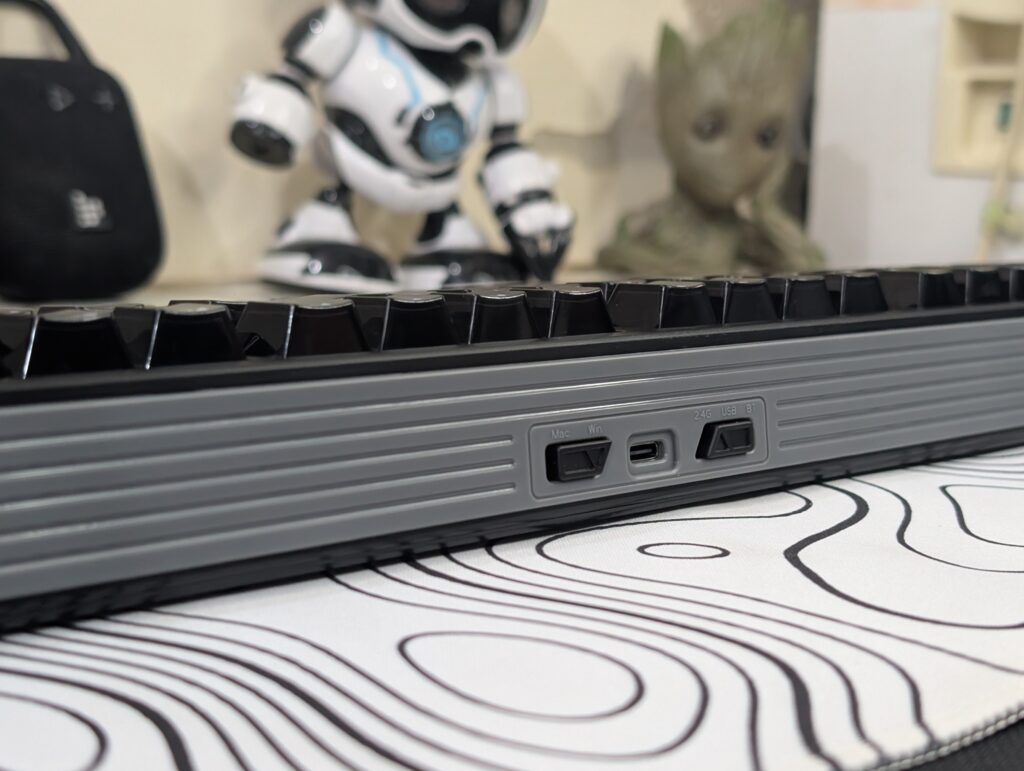
For wired mode, users only need to move the switch to the middle position and connect the USB cable. The connection works instantly without any extra setup.
The 2.4GHz wireless mode feels very fast and responsive. To pair it, users move the switch to the 2.4G position and press Fn + R until the indicator light flashes quickly. After plugging in the wireless receiver, the keyboard connects automatically once the light stops blinking. During testing, the wireless connection stayed stable and responsive.
Bluetooth mode is also simple to use. Users can hold Fn + Q, W, or E to pair up to three Bluetooth devices. This makes the keyboard useful for people who switch between a PC, laptop, tablet, or phone during the day. Switching between paired devices is quick using the same shortcut keys.
One smart design choice is the wireless receiver storage under the left kickstand. It is a small detail, but it helps avoid losing the dongle.
Battery life is one of the biggest highlights of the EPOMAKER HE108. EPOMAKER included a huge 10000mAh battery, which is much larger than most wireless keyboards on the market. The company claims around 32 hours of use with RGB lighting on and up to 500 hours with RGB turned off. Standby time can reach around 1000 hours.
The keyboard also includes a built-in battery check feature. By holding Fn + Enter, the number keys light up to show the remaining battery percentage. This is a simple but useful feature for quickly checking battery status.
Charging indicators are also easy to understand. A red light stays on while charging, and it turns green once fully charged. If the battery gets low, the red indicator starts flashing and the RGB lighting turns off automatically to save power.
EPOMAKER also mentions that the keyboard should be charged through a computer USB port instead of a direct power adapter to avoid battery damage.
The EPOMAKER HE108 performs very well in both connectivity and battery life. It feels fast, stable, and reliable whether you are gaming, working, or switching between multiple devices.
EPOMAKER HE108 Software
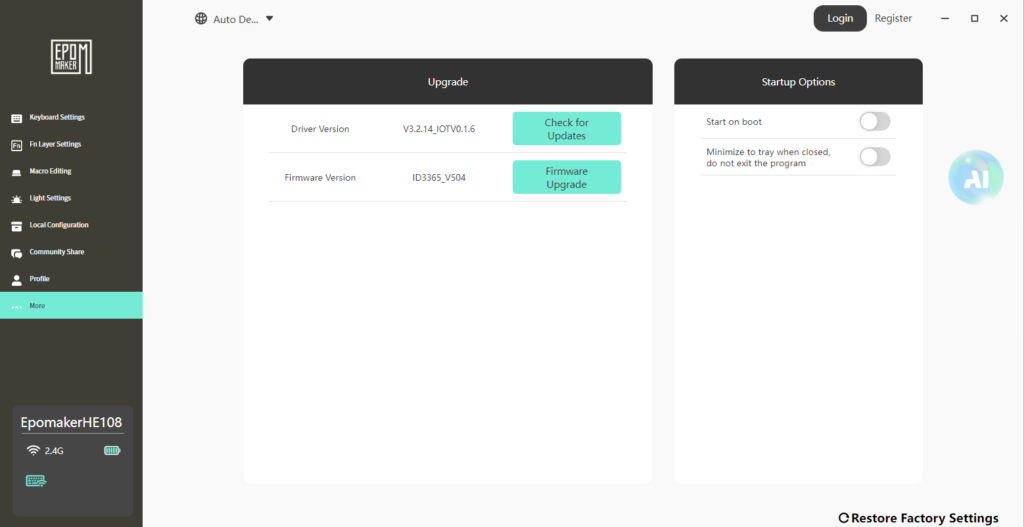
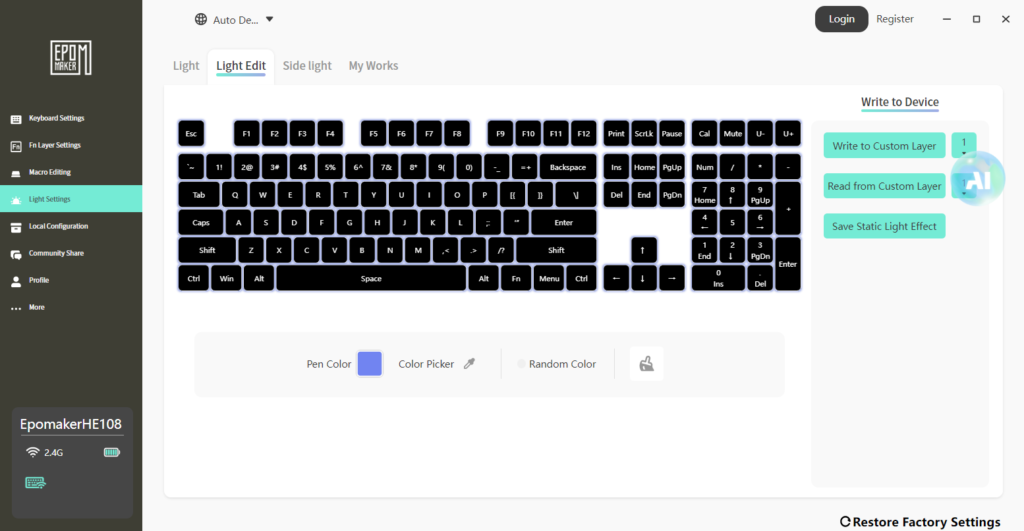
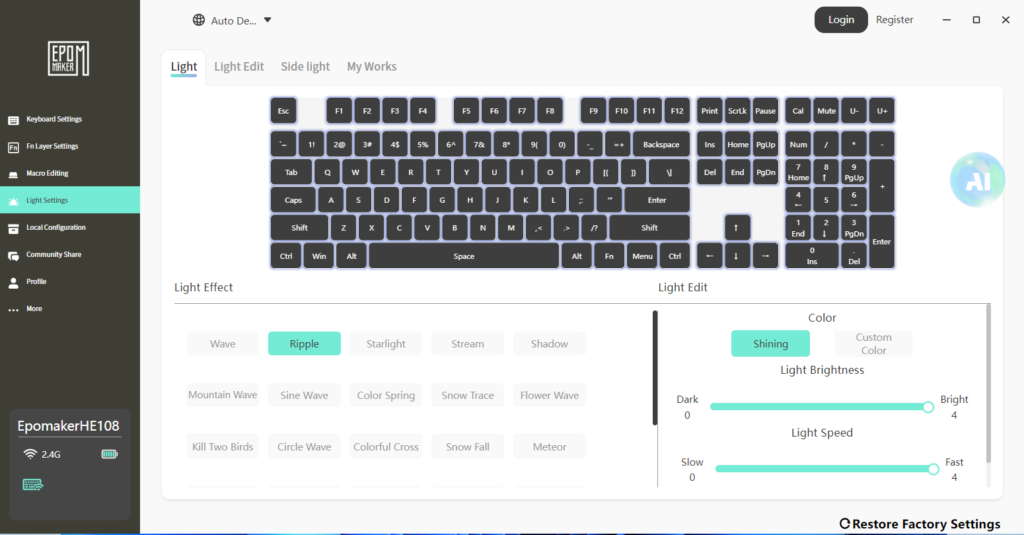
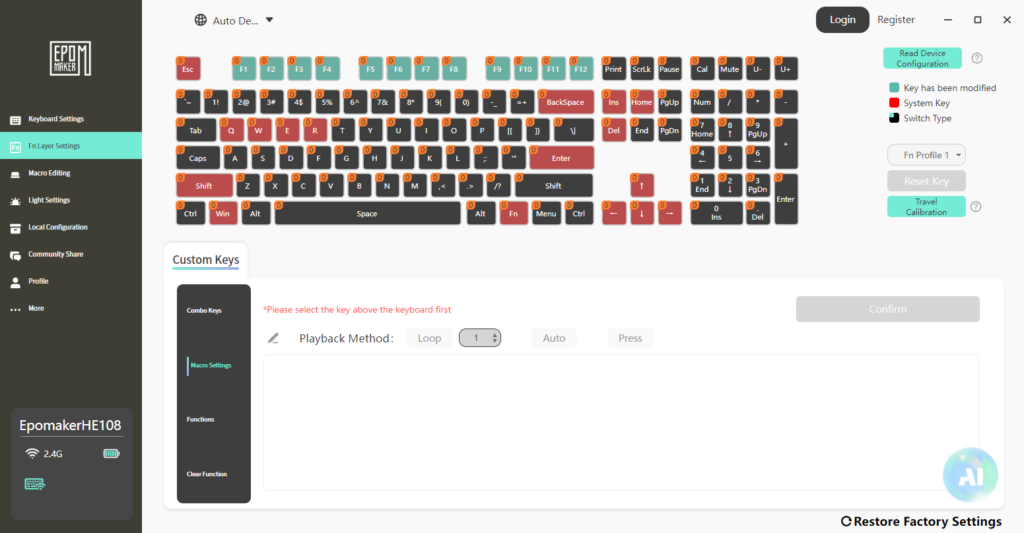
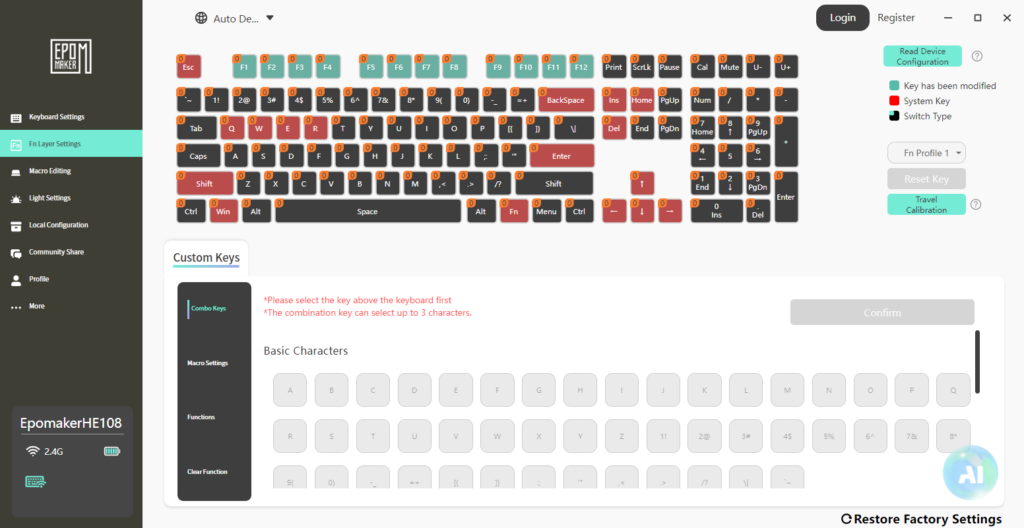
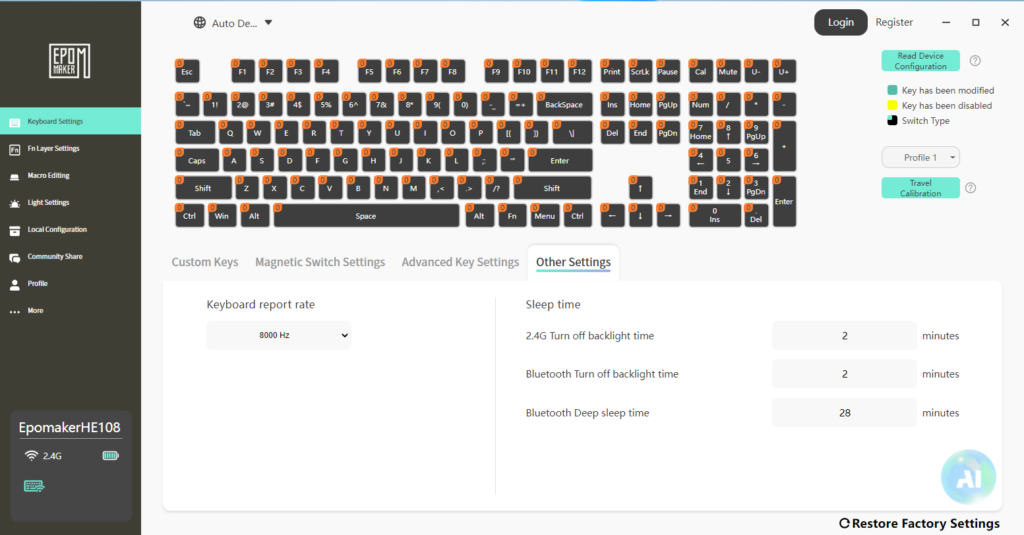
The EPOMAKER HE108 also comes with dedicated software that gives access to a large number of customisation features. Many keyboard brands include software that feels confusing or unfinished, but EPOMAKER’s software was actually easy to understand after spending some time with it.
To connect the software, users simply need to download the latest EPOMAKER Driver 3.0 software from the official EPOMAKER website. The software supports both wired and 2.4GHz wireless modes, and the keyboard was detected properly during my testing without any issues.
The software allows users to fully customise RGB lighting effects, create custom lighting profiles, adjust brightness and animation speed, and even paint individual keys with custom colours. There are many built-in lighting effects available, including Wave, Ripple, Snake, Meteor, Snowfall, and several others.
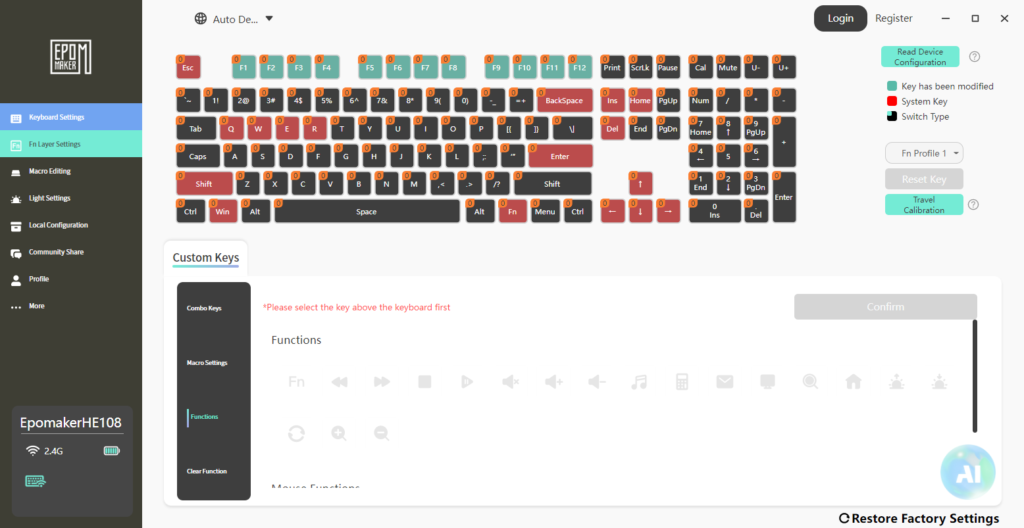
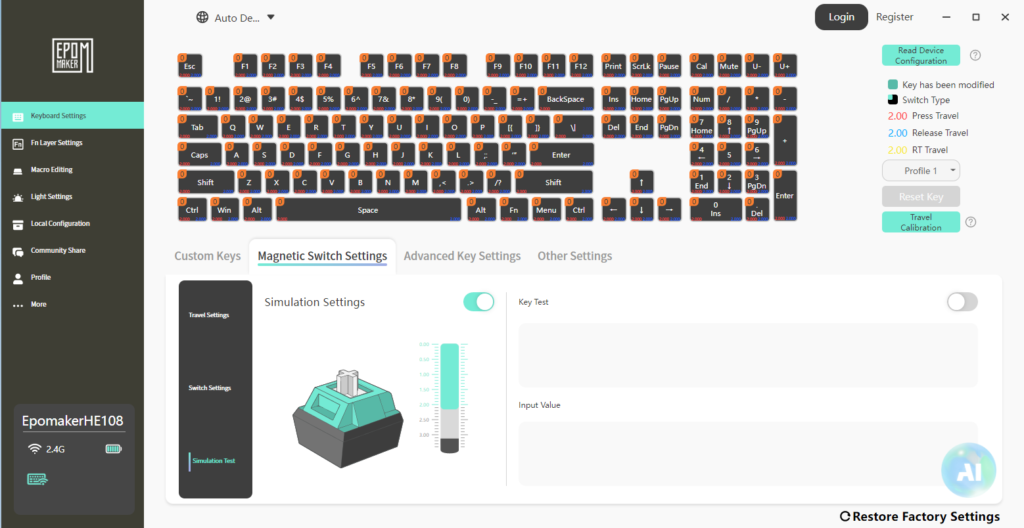
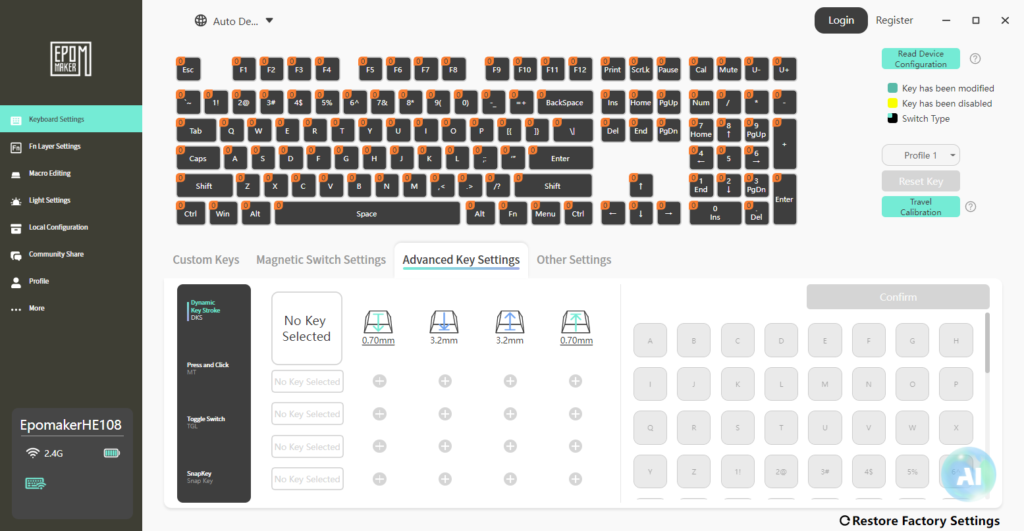
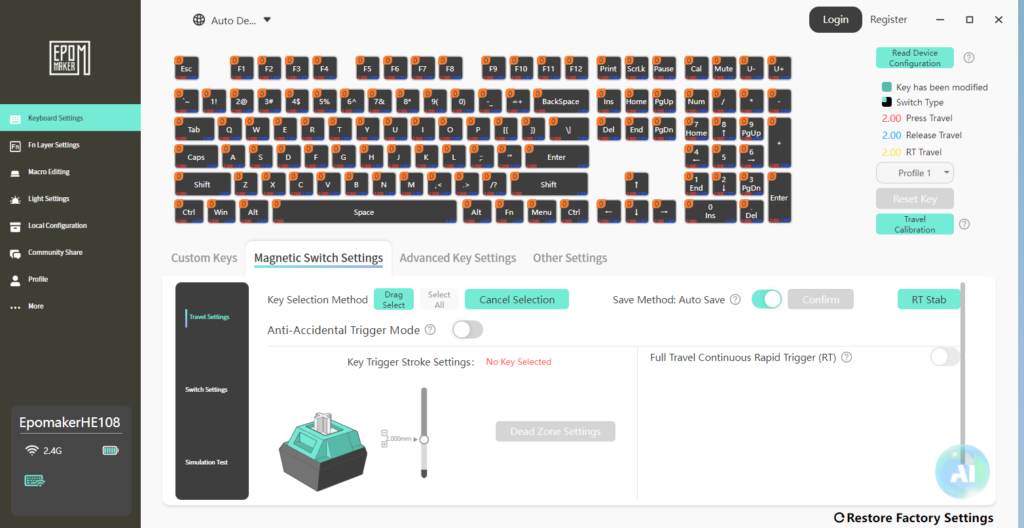
For gaming users, the software becomes even more useful because it gives full control over the Hall Effect settings. You can adjust actuation points, Rapid Trigger settings, release travel, and dead zones directly from the software. Advanced features like Dynamic Keystroke (DKS), Snap Key, MT, and Toggle Switch settings are also included for competitive gaming.
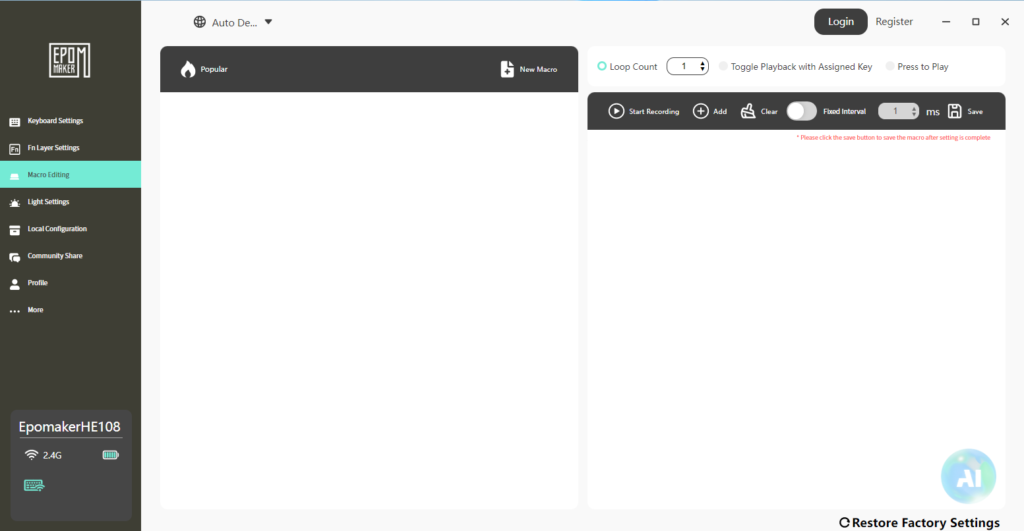
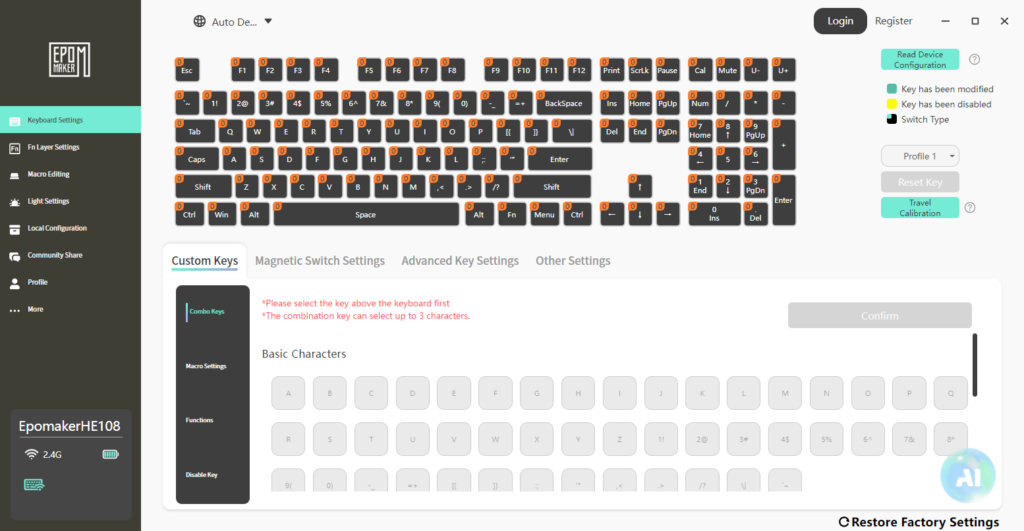
The keyboard also supports macro recording and custom key remapping. Users can assign functions, create combo keys, disable certain keys, and save multiple profiles directly through the software.
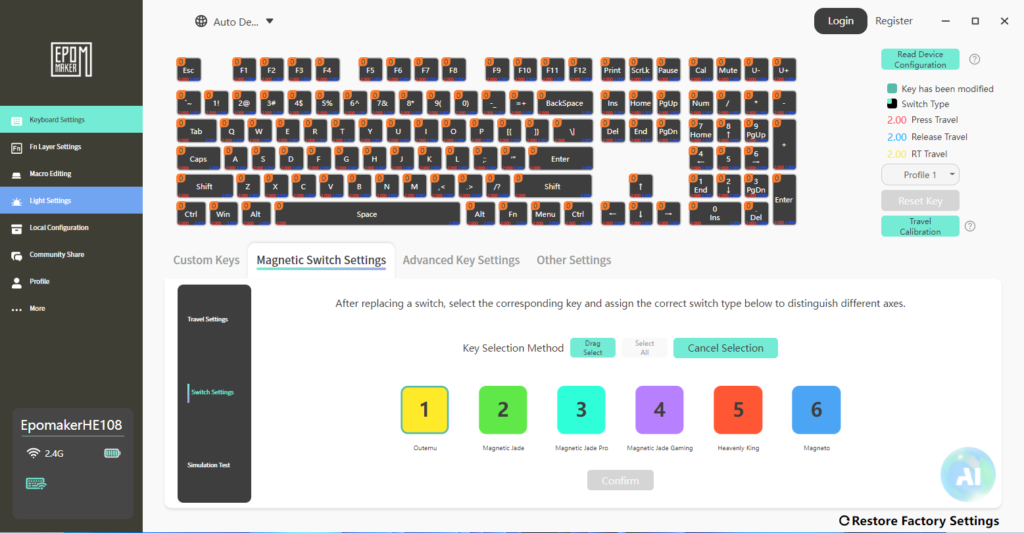
Another useful feature is the switch calibration and testing section. The software can detect switch travel in real time and lets users calibrate switches if needed. EPOMAKER even includes support for multiple magnetic switch types inside the software.
The software also includes battery information, firmware updates, polling rate adjustment up to 8000Hz, sleep timer settings, and wireless management options for both Bluetooth and 2.4GHz modes.
The software feels feature-rich and surprisingly powerful for a keyboard in this category. It adds a lot of value to the EPOMAKER HE108, especially for gamers who enjoy fine-tuning keyboard performance and lighting effects.
EPOMAKER HE108 User experience
Since my experience with the HE80, I was already familiar with EPOMAKER’s Hall Effect keyboards, so using the EPOMAKER HE108 did not feel completely new to me. I have been using this keyboard on my desk for almost two weeks now for both gaming and office work.
For gaming, the keyboard feels responsive and quick. Key presses register fast, and movement in FPS games feels smooth, especially with Rapid Trigger enabled. The switches are light to press, which can feel nice during games, although some users may need a little time to adjust if they are coming from regular mechanical switches.
For office work and typing, the full-size layout helped a lot because I regularly use the numpad while working. Typing feels smooth overall, and the stabilisers on bigger keys were decent during my usage. The keyboard is not silent though, so users who prefer a very quiet setup may want to keep that in mind.
The EPOMAKER HE108 black version that I tested looks clean on the desk, and the RGB lighting is bright enough without feeling too aggressive. I mostly used the keyboard in 2.4GHz mode, and the wireless connection stayed stable during testing.
Battery life was acceptable for my usage, but heavy RGB usage does drain the battery faster, which is expected on a keyboard with strong lighting effects.
Overall, the EPOMAKER HE108 felt more like a practical Hall Effect keyboard for mixed usage rather than something made only for competitive gaming. It handled gaming, writing, and daily work without giving me any major issues during the testing period.
EPOMAKER HE108 Final thoughts
The EPOMAKER HE108 feels like a strong addition to the growing Hall Effect keyboard market, especially for users who do not like compact layouts and want a proper full-size keyboard with a numpad. Most Hall Effect keyboards today focus heavily on smaller layouts, so seeing a 108-key option like this is honestly refreshing.
During my testing, the EPOMAKER HE108 keyboard handled both gaming and office work without major problems. The magnetic switches felt responsive, the stabilisers were decent, and the full-size layout made daily work more comfortable compared to smaller keyboards. Features like Rapid Trigger, adjustable actuation, 8000Hz polling rate, hot-swappable magnetic switches, and detailed software support also make it more than just a basic gaming keyboard.
The RGB lighting is bright and highly customisable, while the software gives access to advanced features like DKS, Snap Key, macro support, switch calibration, and per-key adjustments. Wireless performance in 2.4GHz mode also stayed stable throughout my usage.
At the same time, EPOMAKER HE108 keyboard is clearly not trying to be minimal or ultra-lightweight. It is a large keyboard designed for users who actually want dedicated keys, media functions, and a numpad instead of sacrificing everything for desk space.
Overall, if someone wants to try a Hall Effect keyboard but does not want a compact 60%, 75%, or TKL layout, the EPOMAKER HE108 becomes a very interesting option to consider.