After the success of the TH108 series, EPOMAKER introduced the TH108 Pro as a more advanced full-size mechanical keyboard. It is made for users who want comfort, strong features, and a clean desk setup. This keyboard focuses on daily use, long typing hours, and smooth gaming sessions.
The TH108 Pro arrived alongside other EPOMAKER keyboards I reviewed earlier, including the F75 Max, Luma40, and Magcore 65 Lite. This time, the experience is clearly different. Those keyboards were smaller and more compact. The TH108 Pro is a full-size keyboard, and that alone changes how it feels on the desk and in daily use.
In this detailed review, I will focus only on the EPOMAKER TH108 Pro. I will talk about its build, typing feel, wireless use, battery life, screen, knob, and software. The goal is simple. To see how this full-size keyboard performs in real life and how different it feels compared to the compact models reviewed before.
EPOMAKER TH108 Pro specifications
| Specification | Details |
|---|---|
| Brand | EPOMAKER |
| Model | TH108 Pro mechanical gaming keyboard |
| Layout | 100% full-size |
| Number of keys | 104 keys |
| Battery | 10000mAh rechargeable battery |
| Connectivity | 2.4GHz wireless, Bluetooth, USB cable |
| Compatibility | Windows, macOS, Android |
| Keyboard height (spacebar side) | 28mm (with keycaps), 20mm (without keycaps) |
| Keyboard height (ESC side) | 42mm (with keycaps), 34mm (without keycaps) |
| Kickstand | Yes, 2-stage adjustable |
| Typing angles | 6°, 8°, 10.5° |
| Case material | Thick ABS plastic |
| Plate material | PC plastic |
| Flex-cut | Yes, flex-cut plate and PCB |
| Stabilizers | Plate-mounted, factory tuned |
| Mounting structure | Gasket-mounted |
| Sound dampening | 5 layers (PORON foam, IXPE pad, PET layer, EPDM foam, silicone) |
| Keycap profile | Cherry profile |
| Keycap material | PBT plastic |
| Keycap manufacturing | Double-shot |
| Switch type | Factory-lubed mechanical switches |
| Hot-swappable | Yes, supports 5-pin switches |
| RGB lighting | South-facing, per-key RGB |
| Polling rate | 1000Hz (USB & 2.4GHz), 125Hz (Bluetooth) |
| Latency | 2ms (USB), 5ms (2.4GHz), 11ms (Bluetooth) |
| Anti-ghosting | Yes, N-key rollover |
| Keyboard dimensions | 445 × 140 × 42 mm |
| Keyboard weight | 1.12 kg |
Unboxing
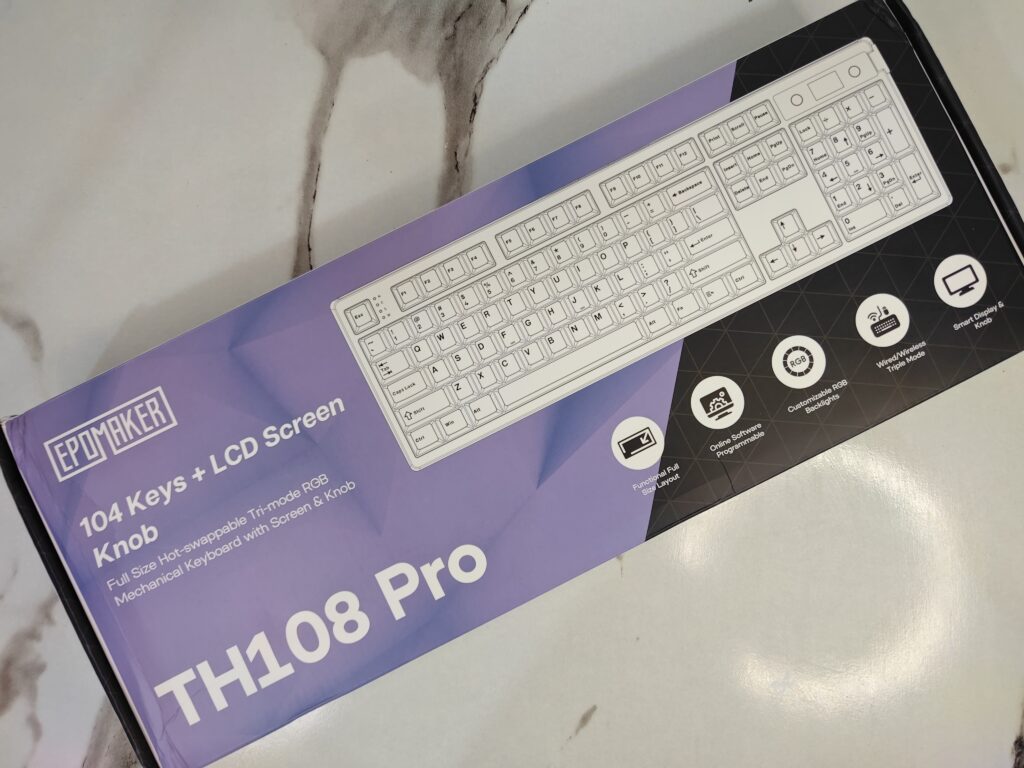
The EPOMAKER TH108 Pro comes in a neat two-tone box that feels professional but not boring. The top half is bright purple, and the bottom half is black with a subtle pattern. On the front, there’s a simple white line drawing of the keyboard. You can immediately see it has 104 keys and a built-in LCD screen. The name “TH108 Pro” is easy to read, and small icons along the edge quickly show its main features—USB, Bluetooth, 2.4GHz wireless, hot-swappable switches, and RGB lighting.
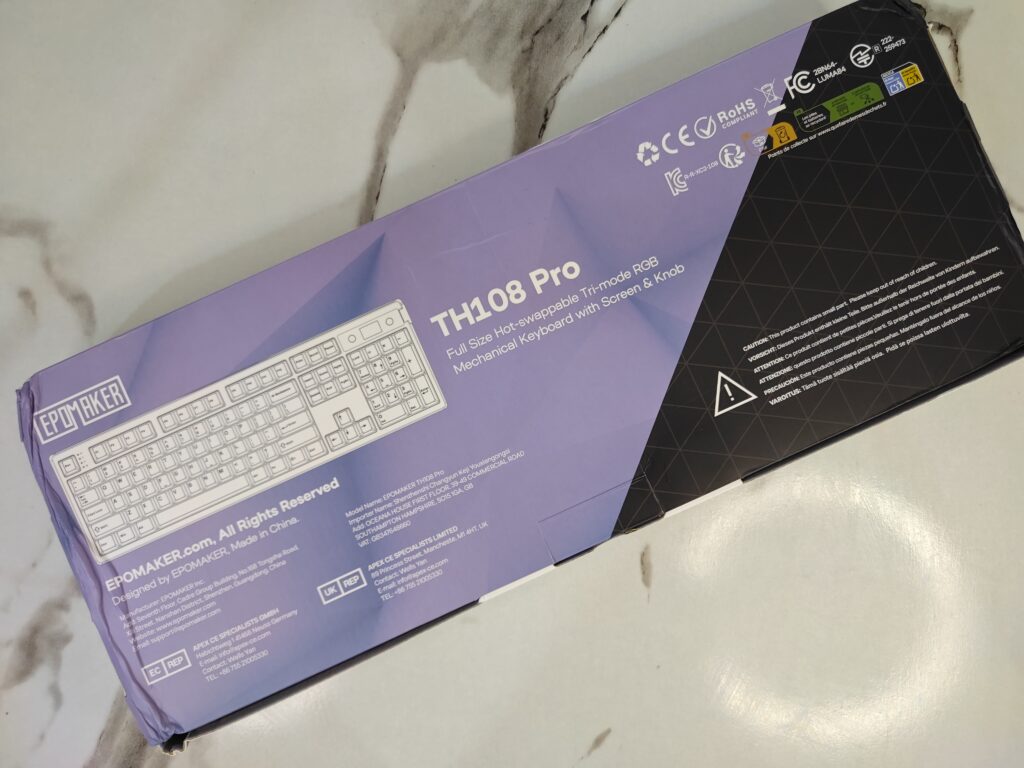
Turn the box around, and it gets a bit more technical. You’ll see a top-down view of the keyboard, safety logos like CE, RoHS, and FCC, and a short caution note in different languages. There’s also Epomaker’s contact info and the “Made in China” label. It shows that this keyboard is designed for serious users all over the world.
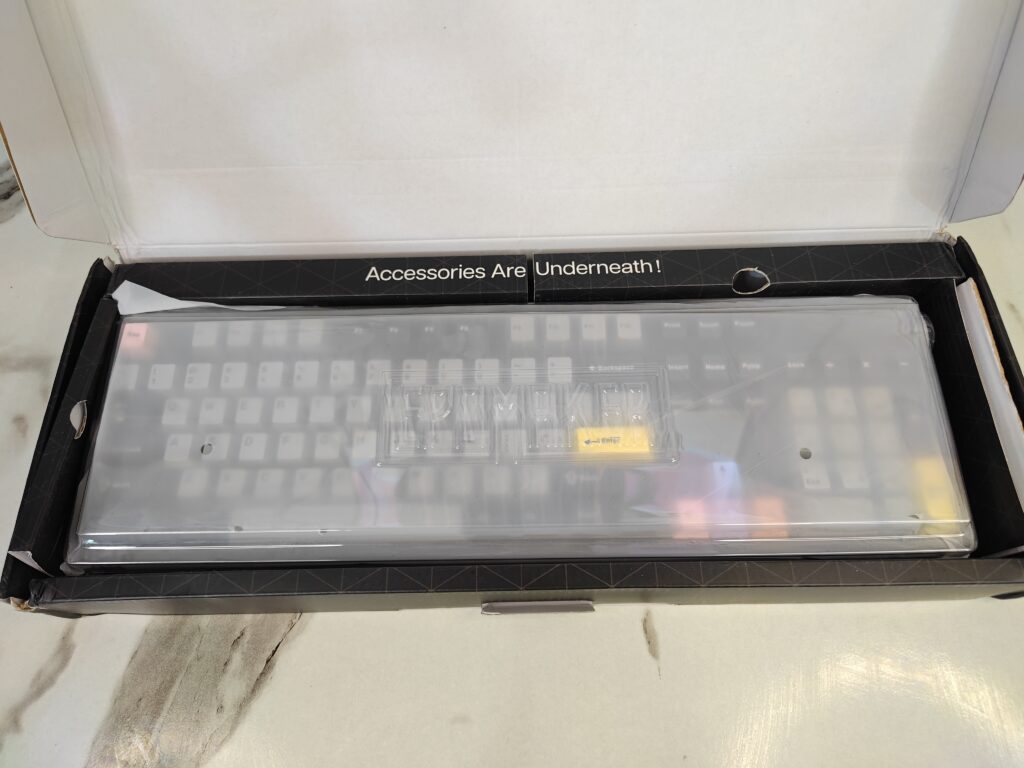
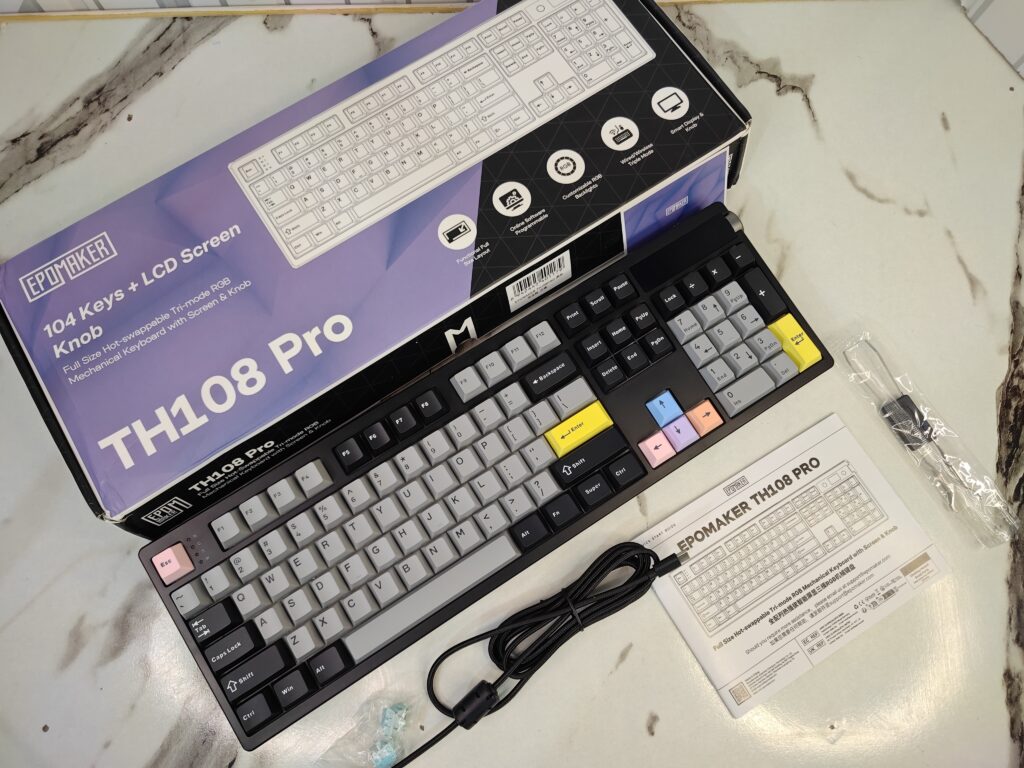
Opening the box is satisfying. The keyboard sits under a clear dust cover and a thin protective sleeve. It already feels cared for. A cardboard flap tells you, “Accessories Are Underneath!” so you don’t have to dig around. Underneath, everything is neatly packed: a braided USB-C cable, a keycap and switch puller, a few spare switches, and a quick-start guide for the screen and wireless setup.
The unboxing feels premium without being over the top. Everything is easy to find, and nothing feels wasted. From the first moment, you can tell the TH108 Pro is a full-size keyboard made with care and attention to detail.
A closer look
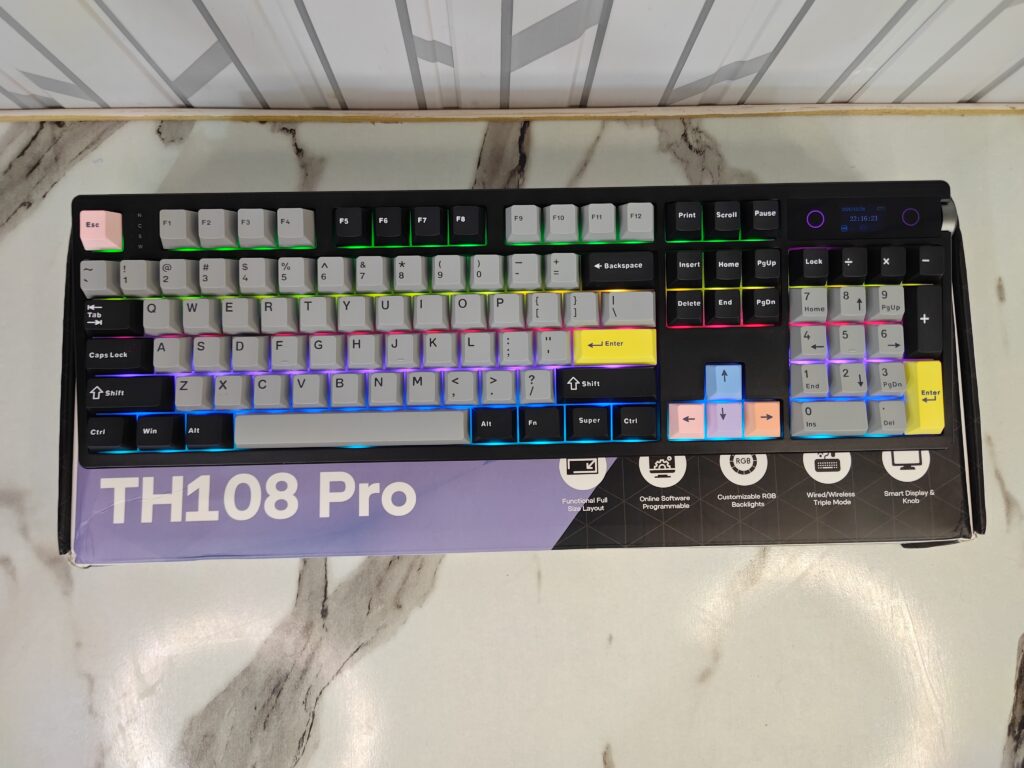
The EPOMAKER TH108 Pro belongs to EPOMAKER’s TH series. This series focuses on comfort and daily use. The keyboard uses a 100% full-size layout. You get all 104 keys, including the number pad. It is made for work and gaming. The keyboard is large and solid. Its size is 445 × 140 × 42 mm. The weight is around 1.12 kg. Because of this, it stays steady on the desk and does not move around.
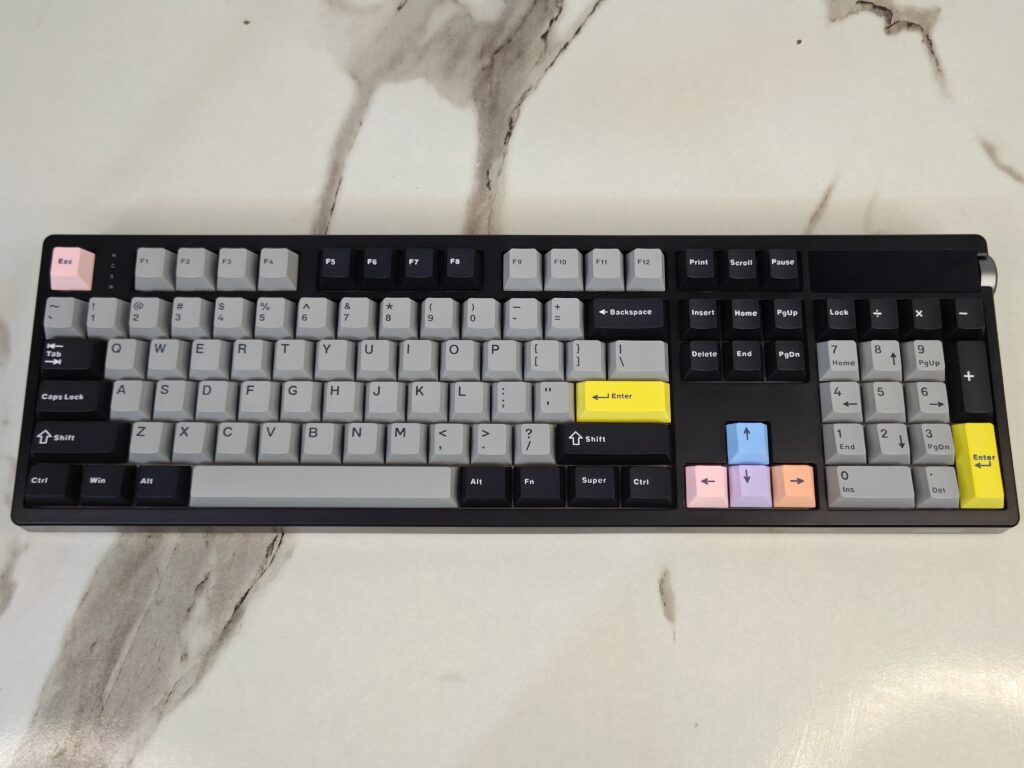
The build feels strong from the start. The case is made from thick ABS plastic. It feels firm and well put together. There is very little flex. Inside, the keyboard uses a PC plastic plate. This makes typing feel softer than metal plates. The result is a balanced feel. It is good for long typing and long gaming sessions.
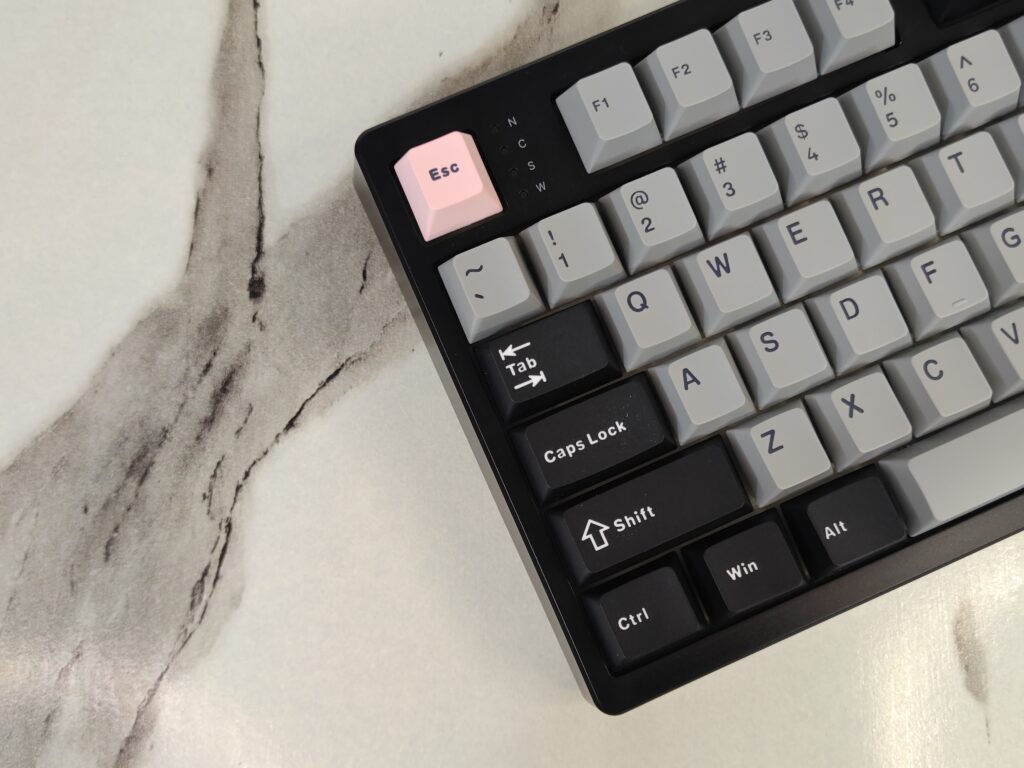
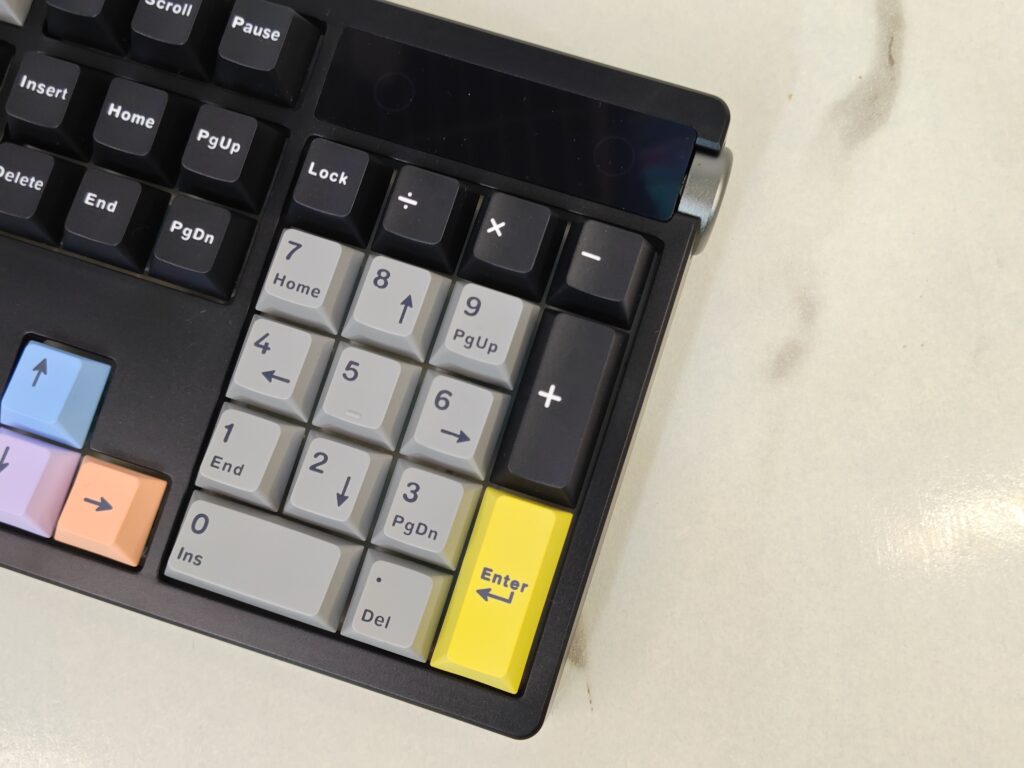
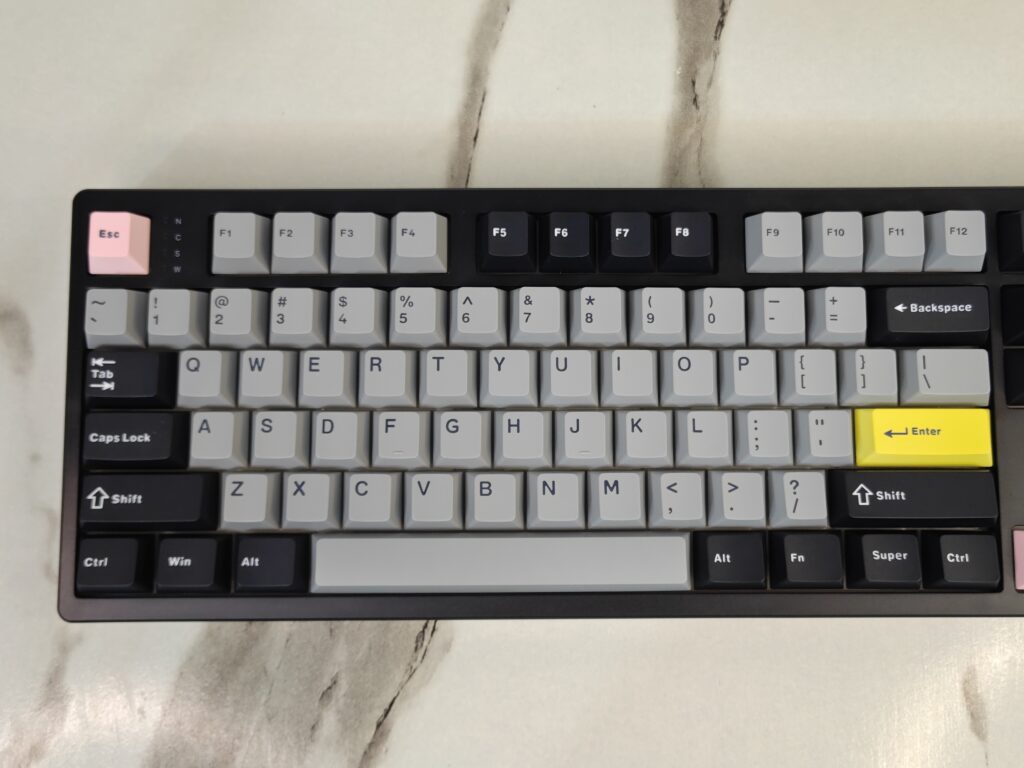
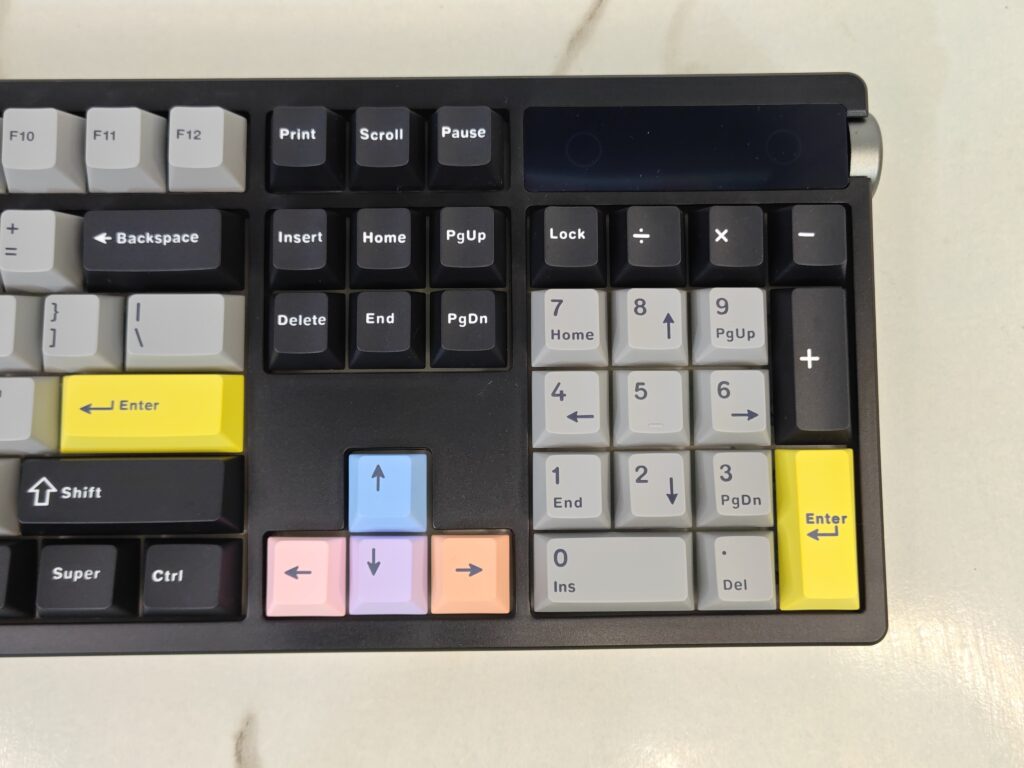
The front design looks clean but not boring. Most keys are in light grey and dark black. This gives it a professional look. Small colour touches add some fun. The Escape key is pastel pink. The Enter keys are bright yellow. The arrow keys use soft pastel colours like blue, purple, and orange. In the top-right corner, there is a small TFT screen and a metal knob. These add a modern feel and are useful in daily use.
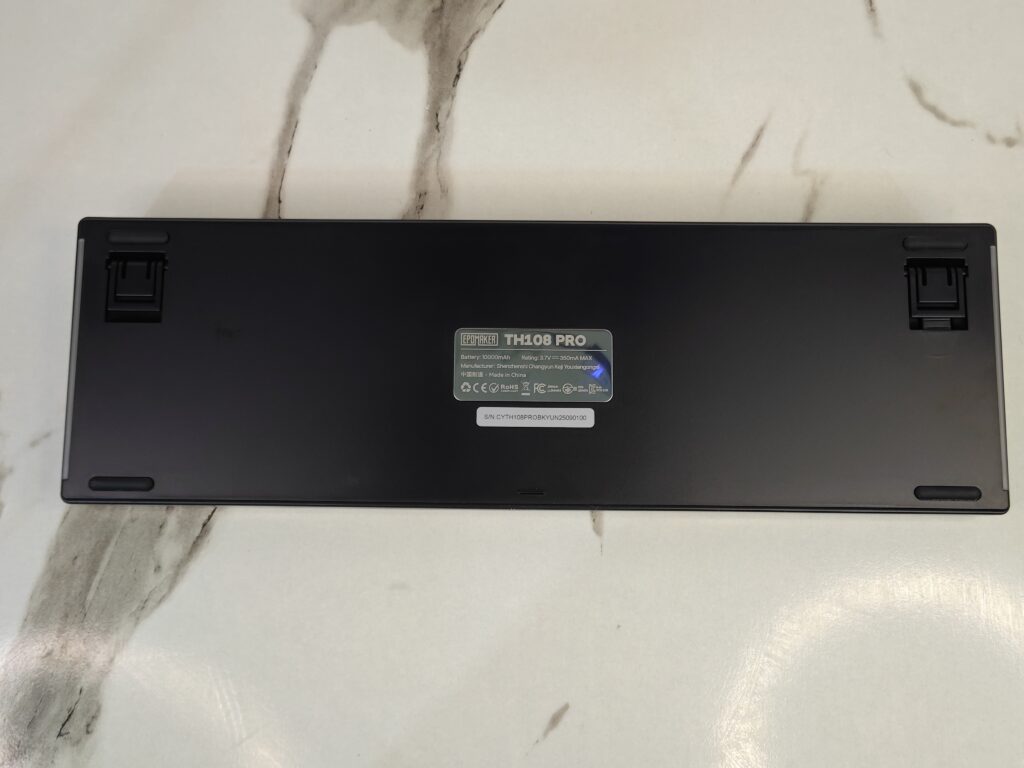
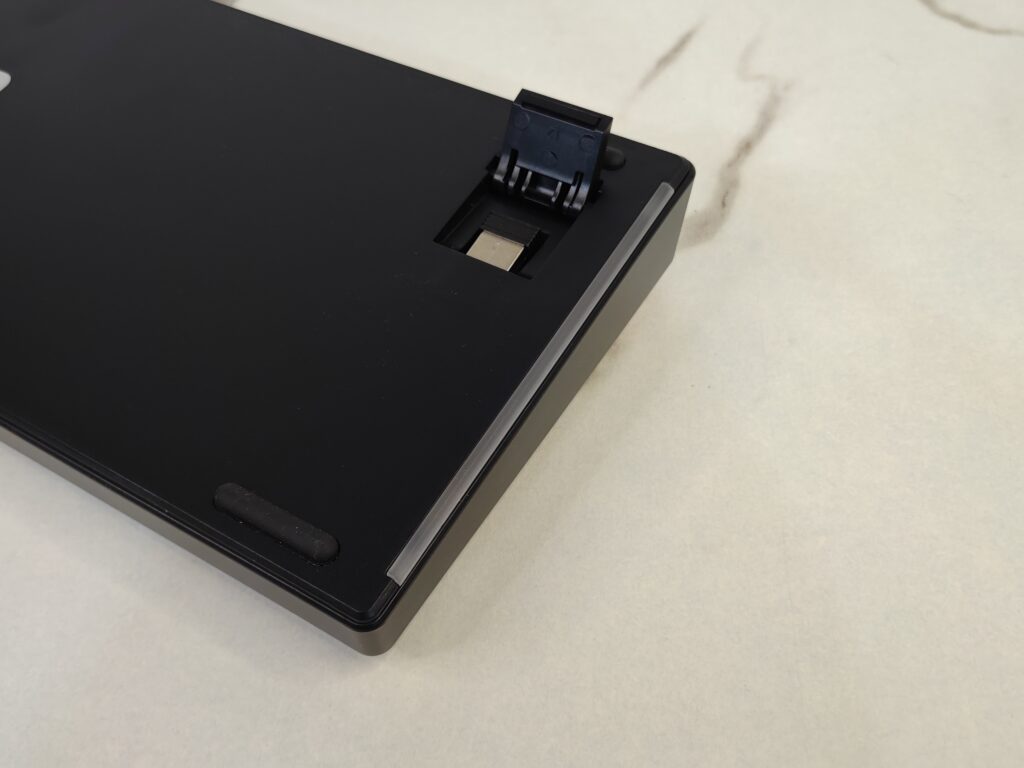
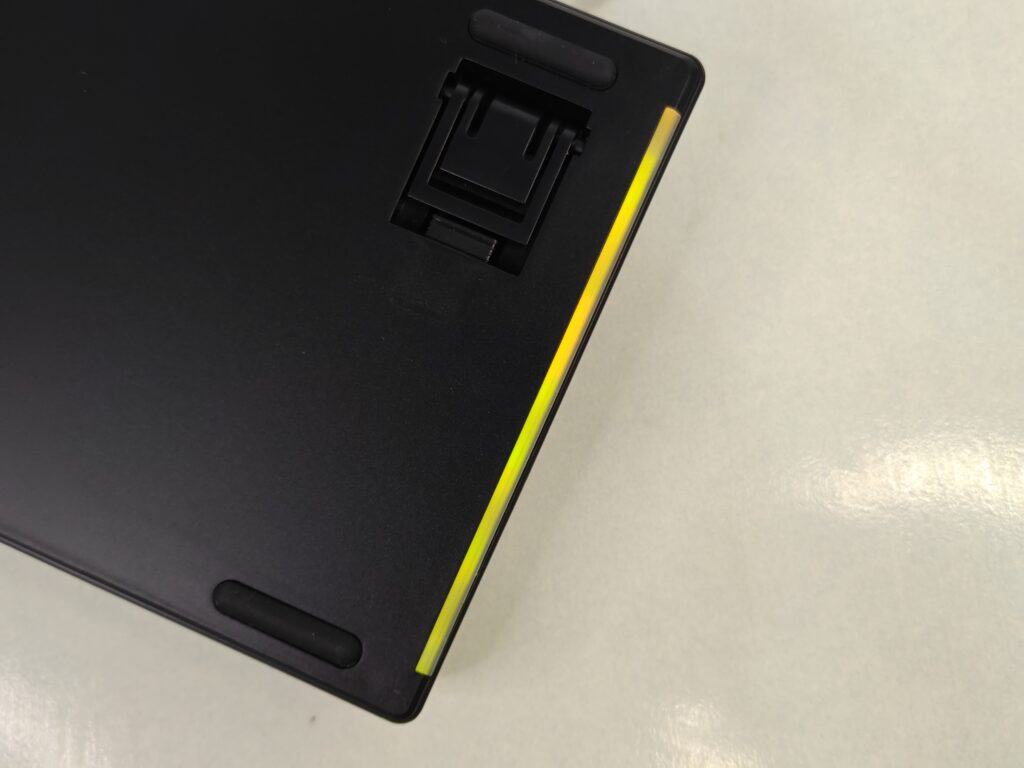
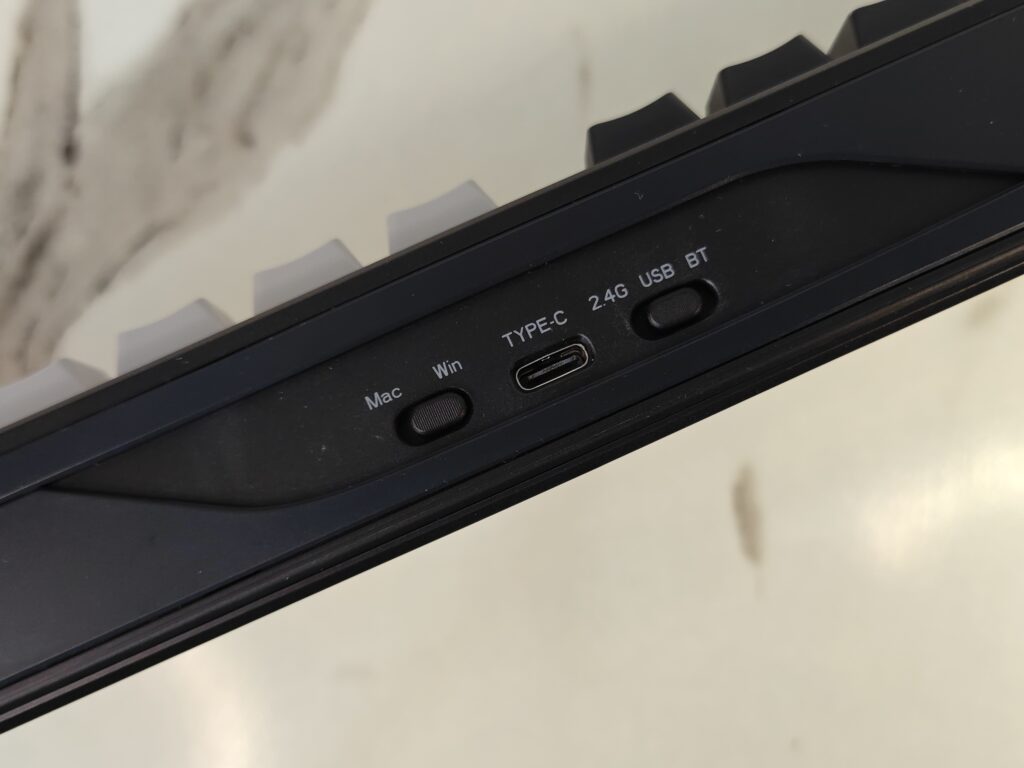
The bottom is made for comfort and stability. The surface has a matte finish. Four rubber feet keep the keyboard in place. The two-stage kickstand gives three typing angles. You can choose 6°, 8°, or 10.5°. One kickstand hides the 2.4GHz wireless dongle. This is a nice and practical touch. At the back, there is a USB Type-C port for charging and wired use. Two small switches sit next to it. One is for Mac and Windows mode. The other is for wired, Bluetooth, and 2.4GHz wireless modes.
Pro with Screen upgrade
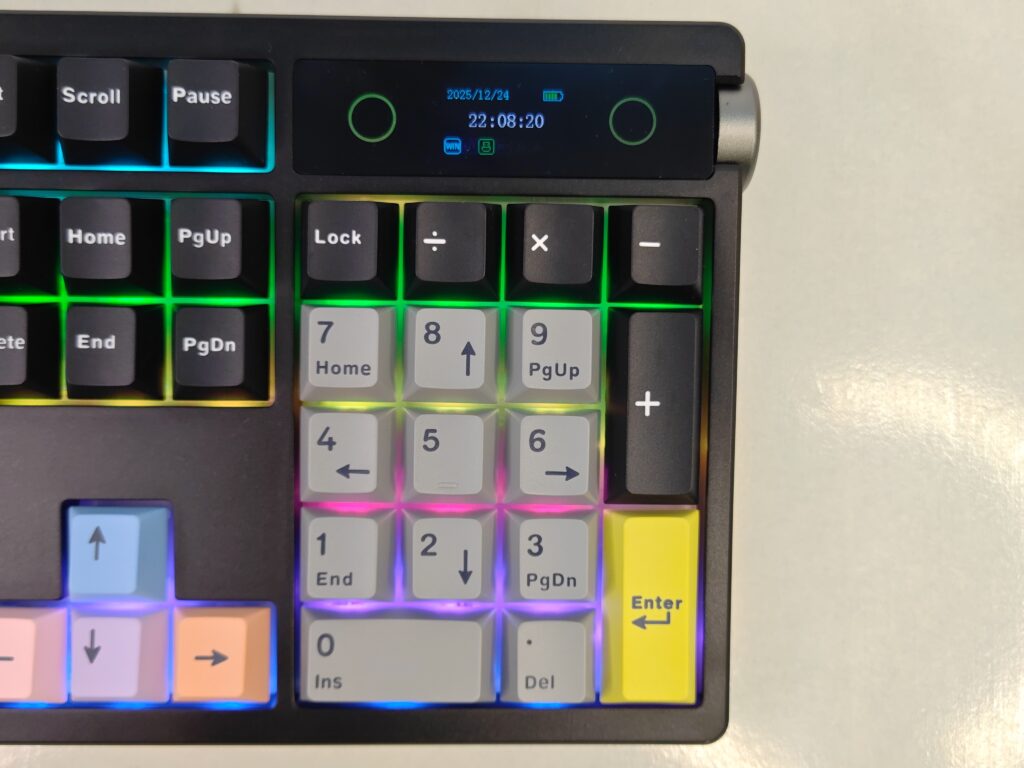
The EPOMAKER TH108 Pro comes with a built-in smart screen. This is one of its main highlights. The screen sits on the top-right corner. It is easy to see and not distracting. It shows useful info like the time and battery level. This helps during daily use.
The metal knob works with the screen. It controls volume by default. With FN + knob, it also controls the screen and RGB lighting. The action feels smooth. Everything stays within reach while working or gaming.
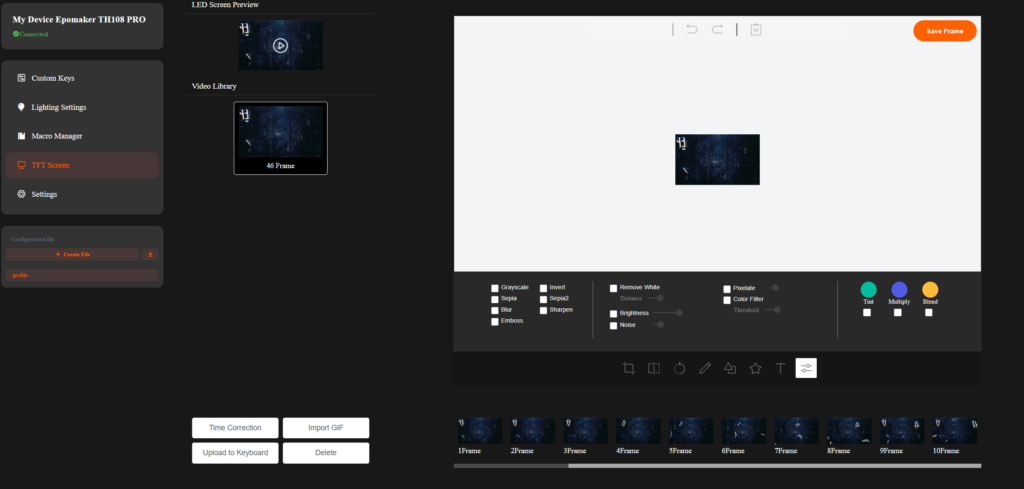
The screen is also fully custom. EPOMAKER’s Chrome-based software works on Windows and macOS. You can upload your own pictures or GIFs. You can add a logo, a photo, or a fun meme. This makes the keyboard feel personal. It goes beyond simple RGB lighting and lets you show your own style.
Keycaps
The EPOMAKER TH108 Pro uses Cherry profile keycaps. This profile is comfortable and easy to get used to. It works well for both typing and gaming. The keyboard comes with 104 keycaps, matching its full-size layout. Every key is covered, including the number pad.
The keycaps are made from PBT plastic. This material feels slightly textured and does not become shiny over time. EPOMAKER uses a double-shot manufacturing process, so the legends are part of the keycap itself. Because of this, the letters will not fade, even after long use. These keycaps are made to last and handle daily wear without issues.
In terms of looks, most of the keycaps are in grey and black colours. This gives the keyboard a clean and professional base. To add some character, EPOMAKER uses colourful accent keys. The Escape key stands out, the arrow keys have soft colours, and the Enter key on the number pad is also highlighted. These small colour touches break the plain look and give the keyboard a bit of personality without feeling too loud.
Switches
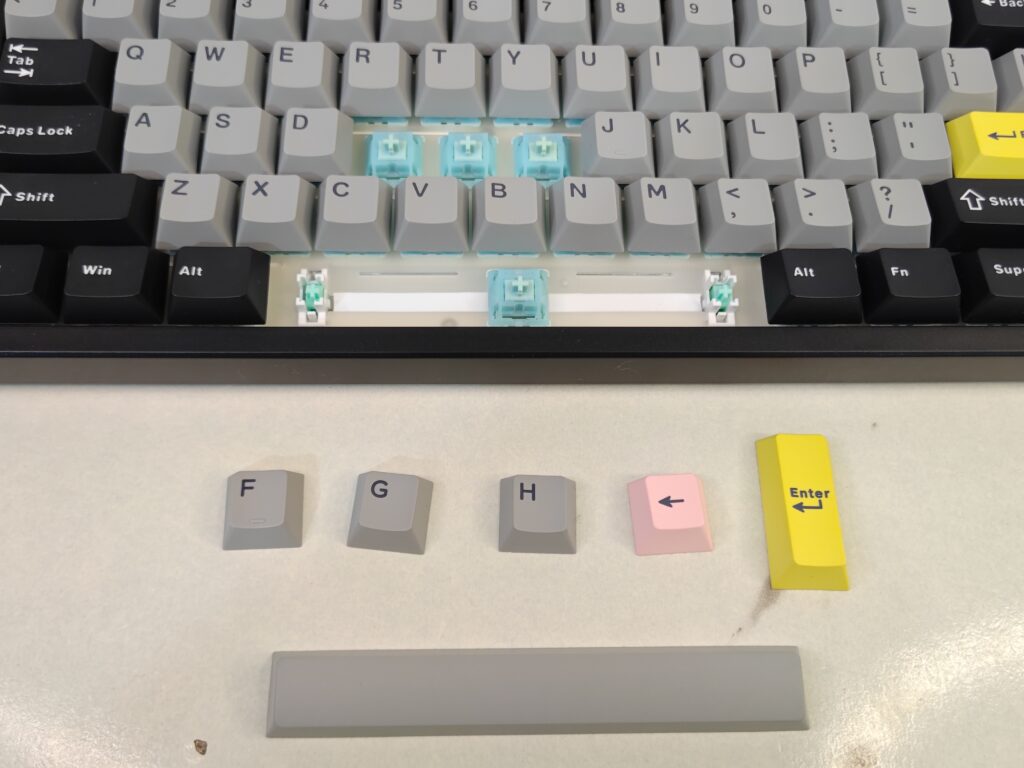
The EPOMAKER TH108 Pro comes with two switch options. You can choose between the EPOMAKER Creamy Jade switches or the Sea Salt Silent switches. This gives users a choice between sound and silence, depending on their preference. The unit reviewed here uses the EPOMAKER Creamy Jade switches.
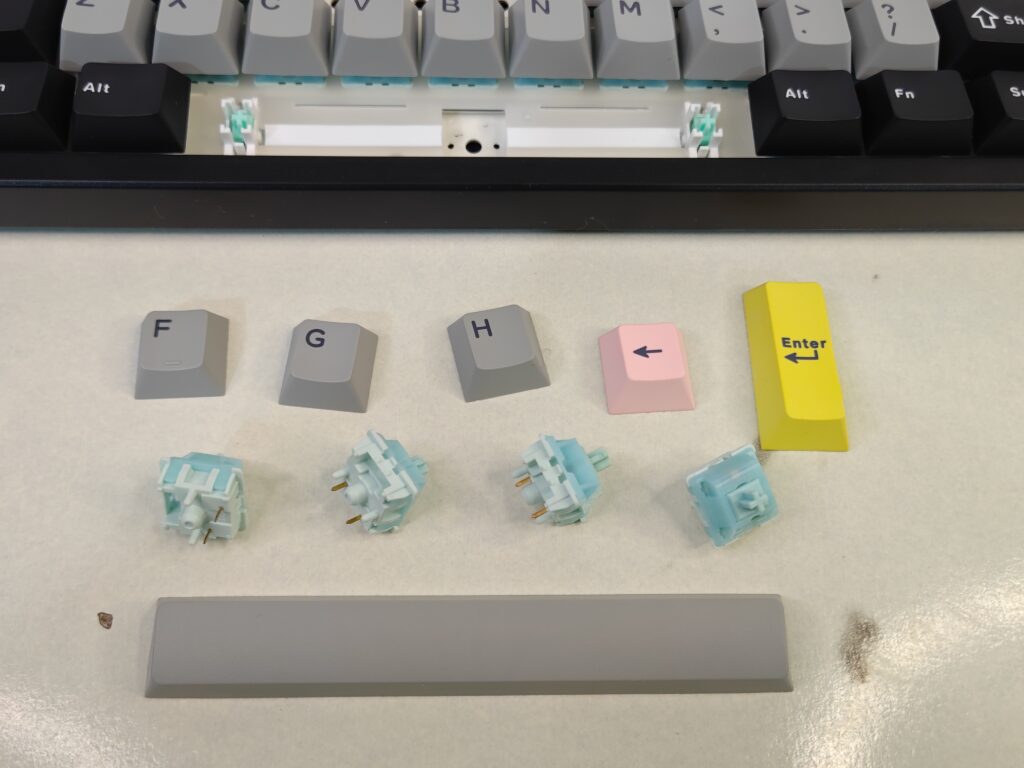
The Creamy Jade switches are linear and smooth. They use a 5-pin mechanical design and come factory-lubed. Because of this, they feel good right out of the box. The trigger force is 45±5gf, which makes them easy to press. The bottom-out force is 50±5gf, so they do not feel too heavy. The pre-travel is 2.0±0.4mm, and the total travel is 3.6±0.4mm. These numbers translate into a soft and controlled typing feel. There is no light diffuser, but RGB still looks clean from the south-facing LEDs.
If you prefer a quiet setup, the Sea Salt Silent switches are the other option. These are made for low noise and calm typing. They are good for shared spaces or late-night use. Both switch types are factory-lubed, so there is no rough feel.
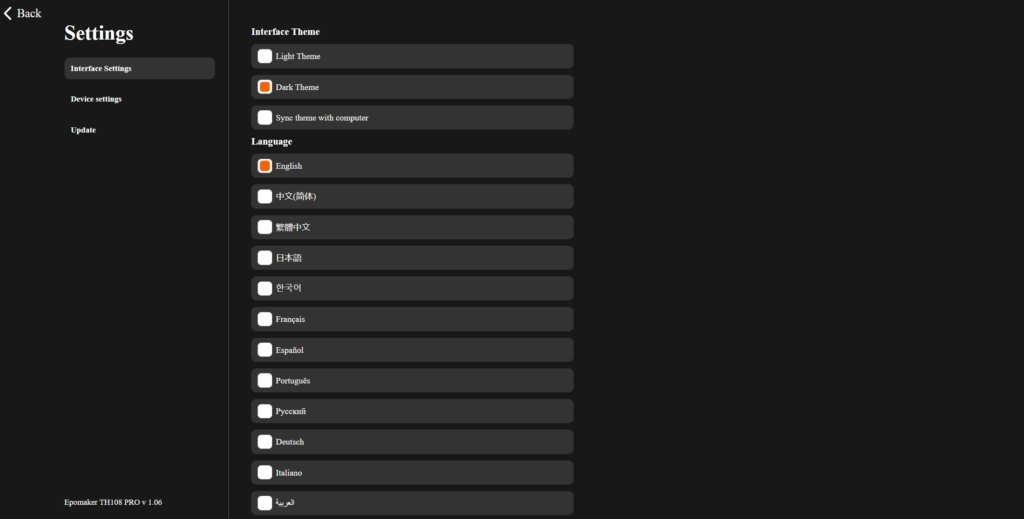
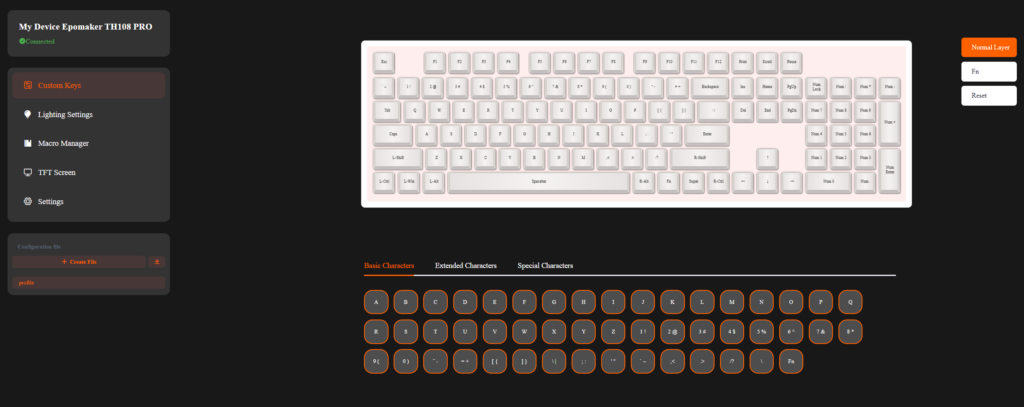
The TH108 Pro is fully hot-swappable. You can change switches without soldering. It supports mainstream 5-pin mechanical switches. This makes it easy to test different sounds and feels. The keyboard also works with EPOMAKER’s web-based driver on Windows and macOS. You can remap keys, set macros, adjust RGB, and fine-tune settings. This makes the TH108 Pro easy to customise and match your gaming or work style.
RGB Lighting
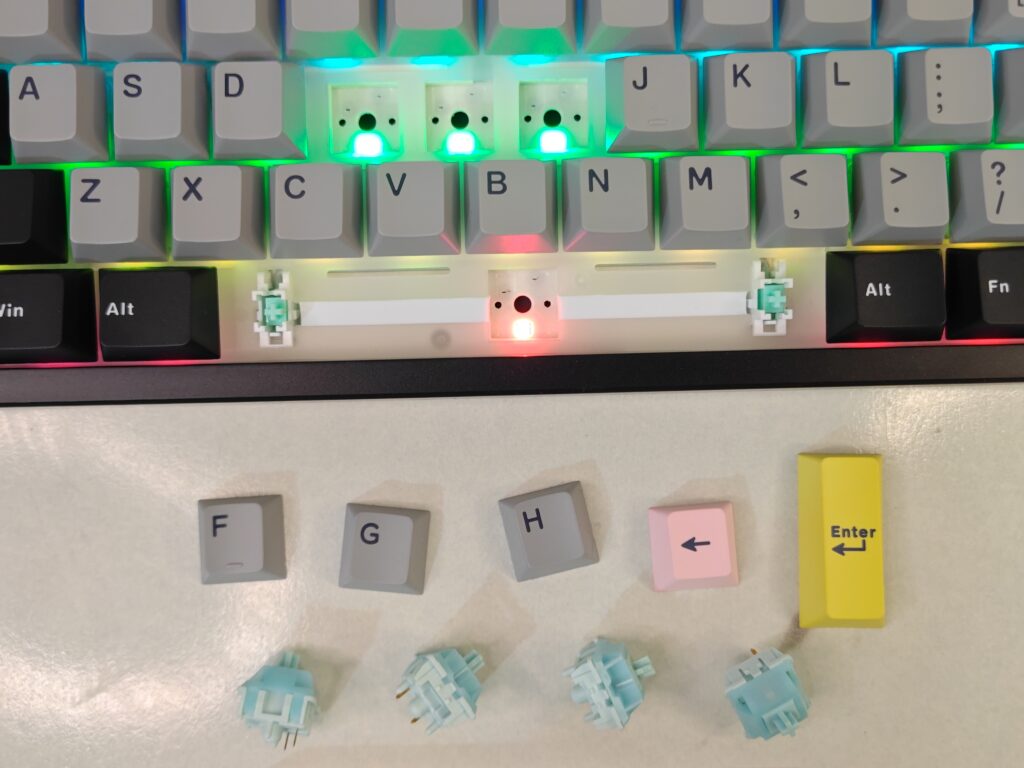
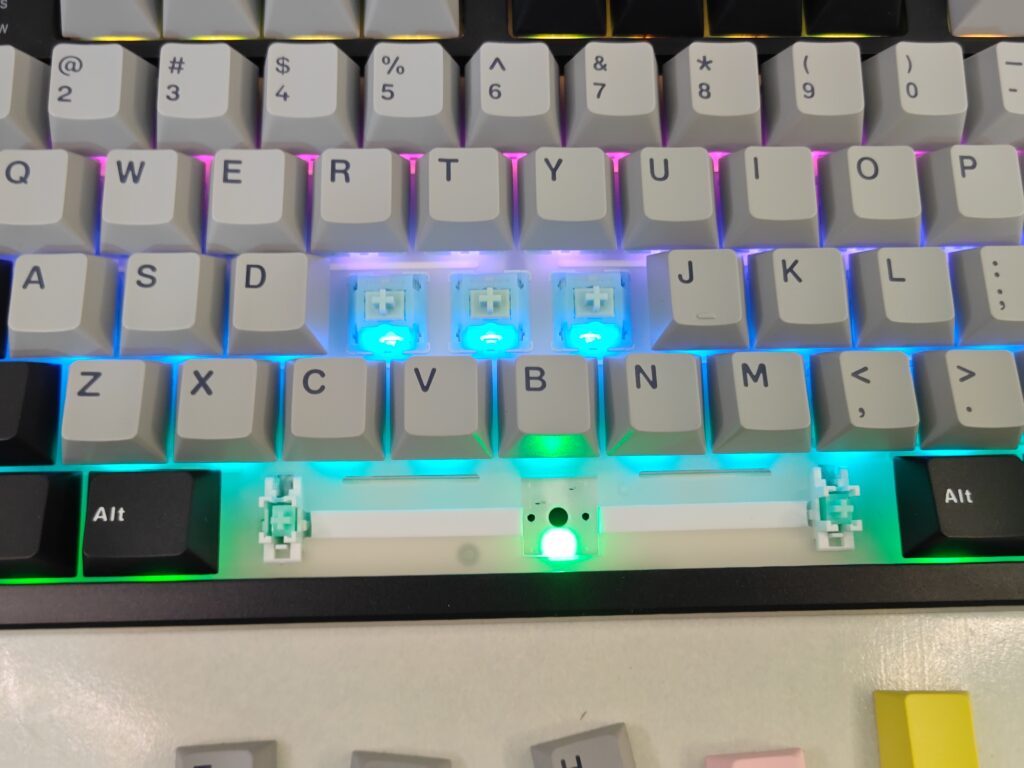
The EPOMAKER TH108 Pro comes with full RGB backlighting. Each key has its own light. The lighting looks modern and clean. It adds life to the desk without feeling too flashy.
RGB helps in dark rooms. You can easily find keys and macros while gaming. The light effects move smoothly and follow your actions. This helps reduce wrong key presses. It feels helpful, not distracting.
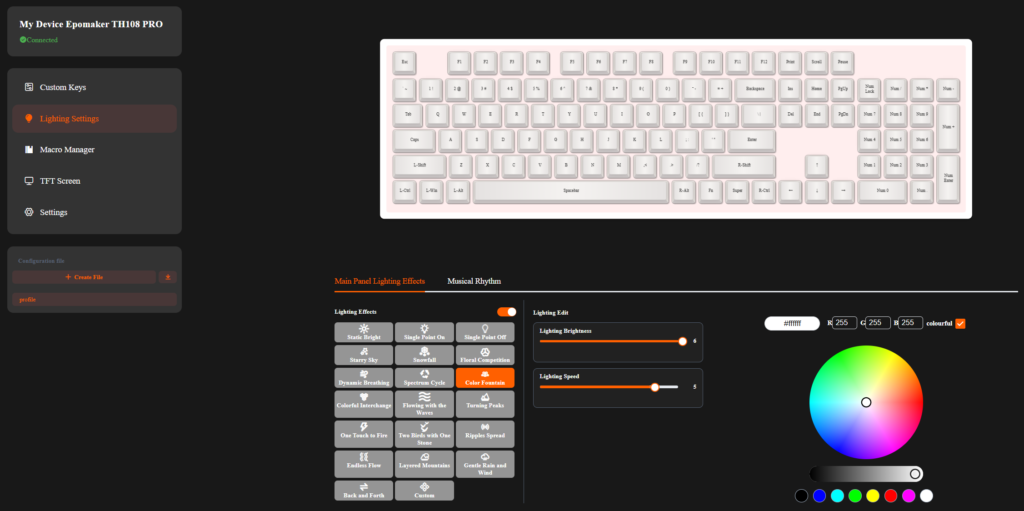
You can fully customise the lighting. Change colours, effects, brightness, and speed. All settings are easy to adjust through the software. You can match the lights with your setup or mood. Overall, the RGB lighting adds style and function, making the TH108 Pro a strong centrepiece on the desk.
Connectivity and Battery
The EPOMAKER TH108 Pro comes with a large 10000mAh rechargeable battery. This is one of its biggest strengths. The battery easily lasts for many days on a single charge. In wireless use, it can go up to around 160 hours, depending on lighting and usage. This means you do not have to worry about charging in the middle of work or gaming.
The keyboard supports three connection modes. You can use it with a USB cable, 2.4GHz wireless, or Bluetooth. Switching between these modes is easy. The mode switch is located at the back of the keyboard. This keeps the design clean and avoids accidental changes during use.
Wireless performance is strong and reliable. In USB and 2.4GHz mode, the polling rate goes up to 1000Hz. This gives fast and responsive input. In Bluetooth mode, the polling rate is 125Hz, which is fine for normal typing and casual use. Latency is also low. It is around 2ms in USB mode, 5ms in 2.4GHz wireless, and 11ms in Bluetooth.
The TH108 Pro also supports multiple devices. You can switch between up to five paired devices across wired, 2.4GHz, and Bluetooth modes. It works with Windows, macOS, and Android devices. Overall, the battery life and connectivity make this keyboard great for a clean, wireless setup without cable clutter.
Software
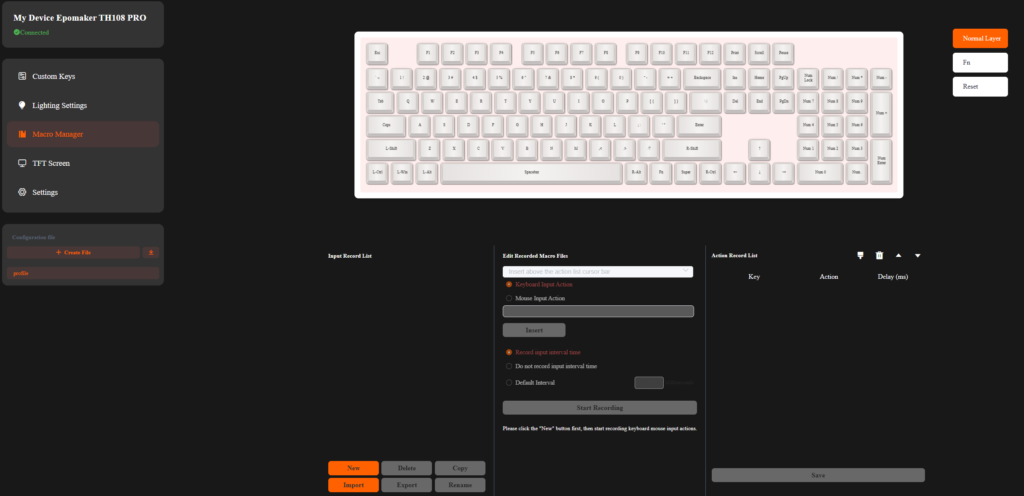
The software for the EPOMAKER TH108 Pro is simple but powerful. It lets you fully customize the keyboard to your style and needs. You can use the Sketchpad and GIF upload tool to manage the TFT screen. This allows you to add custom images, animations, or pixel art for a personal touch. You can also check battery life and connection modes right from the software.
The RGB lighting can be adjusted in detail. You can change colors, brightness, speed, and effects for each key. The Macro and Key Mapping section is very useful. You can record complex commands and remap any key on the keyboard. It works well on both Windows and Mac. The software makes it easy to get the most out of the TH108 Pro’s tri-mode connectivity and low-latency performance.
User Experience
Using the EPOMAKER TH108 Pro feels professional from day one. It is made for both work and play. The 100% full-size layout feels natural. All 104 keys are right where you expect them. There is no learning curve. It works well for typing, editing, and gaming.
The smart TFT screen is more useful than it first appears. It shows time and battery level at a glance. This helps during long sessions. The metal knob feels smooth and solid. Volume control is quick. Using FN with the knob to change screen options or RGB feels simple. You stay focused on your work or game. Adding your own image or GIF makes the keyboard feel personal.
Typing feels calm and comfortable. The gasket mount and five layers of padding reduce noise. Keystrokes feel soft. There is no harsh bottom-out. Creamy Jade switches sound smooth and clean. Sea Salt Silent switches feel very quiet. Both feel good straight out of the box. Long typing sessions stay easy on the fingers.
Wireless performance is strong. The 10000mAh battery lasts for days. You stop worrying about charging. The mode switch at the back makes changing connections easy. USB, 2.4GHz, and Bluetooth all work smoothly. The 2.4GHz mode feels fast and responsive. Bluetooth is stable for laptops and tablets.
RGB lighting adds style without distraction. The south-facing lights look clean. They help in low light. Customisation is easy. Hot-swappable switches make experimenting fun. The software is simple to use. Key remapping and macros work as expected.
Overall, the TH108 Pro feels refined and reliable. It is heavy and stable on the desk. It boosts productivity during work. It keeps up during gaming. For a keyboard enthusiast, it delivers a balanced and satisfying daily experience.
Final verdict
The EPOMAKER TH108 Pro is a full-size mechanical keyboard that impresses in every way. It feels solid and stable on the desk, with a layout that works for both work and gaming. The smart TFT screen and metal knob add convenience and a personal touch. Typing is comfortable, thanks to the gasket mount and high-quality switches. Wireless performance is strong, and the 10000mAh battery easily lasts for days. RGB lighting looks great and is fully customisable, while the hot-swappable PCB gives freedom to try different switches.
Overall, the TH108 Pro balances style, comfort, and performance. It is perfect for anyone who wants a reliable, professional, and fun keyboard. Whether for long typing sessions, intense gaming, or showing off a personal setup, this keyboard handles it all with ease.
EPOMAKER TH108 PRO Pros and Cons
Pros:
- Full-size 104-key layout
- Smart TFT screen with knob
- Long-lasting 10000mAh battery
- Comfortable gasket-mounted typing
- Tri-mode connectivity
- Custom RGB and hot-swappable switches
Cons:
- None
EPOMAKER TH108 PRO price and availability
The EPOMAKER TH108 Pro is priced at $98.99 and is available at the EPOMAKER official store. For more hardware reviews like this, click right here.